← ExperimentsCase study
Overload: a workouts and nutrition tracker that runs entirely in your browser.
Progressive-overload training, programs, food logging, a weight trend and health records. Local-first: the whole app runs on SQLite in the browser, with no server.
Open the live demo (opens in a new tab)
Demo data is generated on your device; nothing is sent anywhere. Reset it any time from Settings → Data.
The demo is seeded with six months of one lifter’s data. The first visit takes a few seconds to set up.
Expo · React Native · Expo Router · SQLite (OPFS) · Drizzle · TypeScript · Cloudflare Workers
01 — Flow board7 flows · 38 phone and 32 desktop frames
Flows
The real app, captured from the live demo build. The phone frames are the Expo app at phone width in a browser, not a native build. Pick a width, then scroll each flow sideways.
Expo web at 390px, captured at 2x.
Onboarding
6 steps
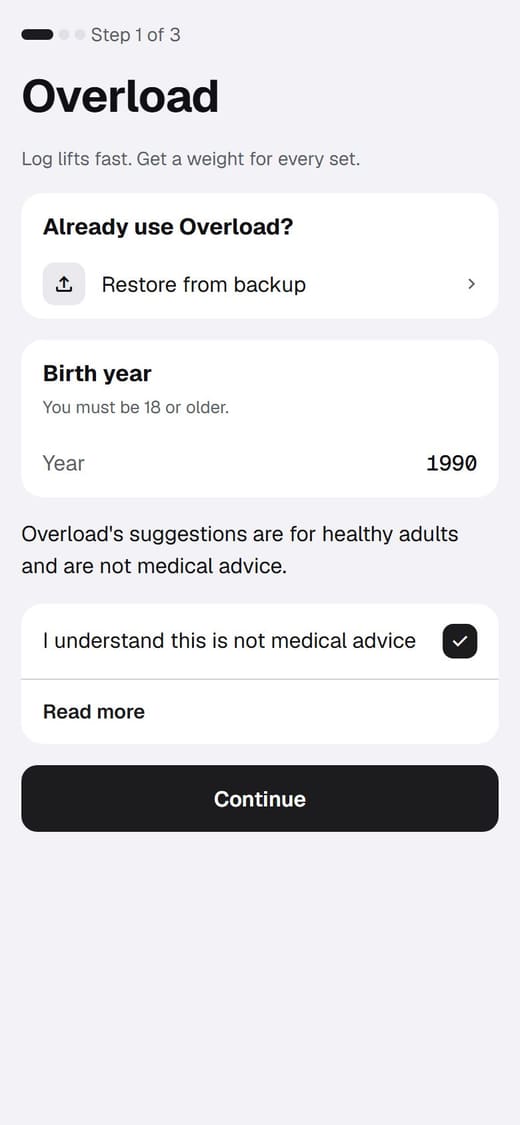
Step 01WelcomeA first visit asks only for a birth year and a not-medical-advice check before anything else. 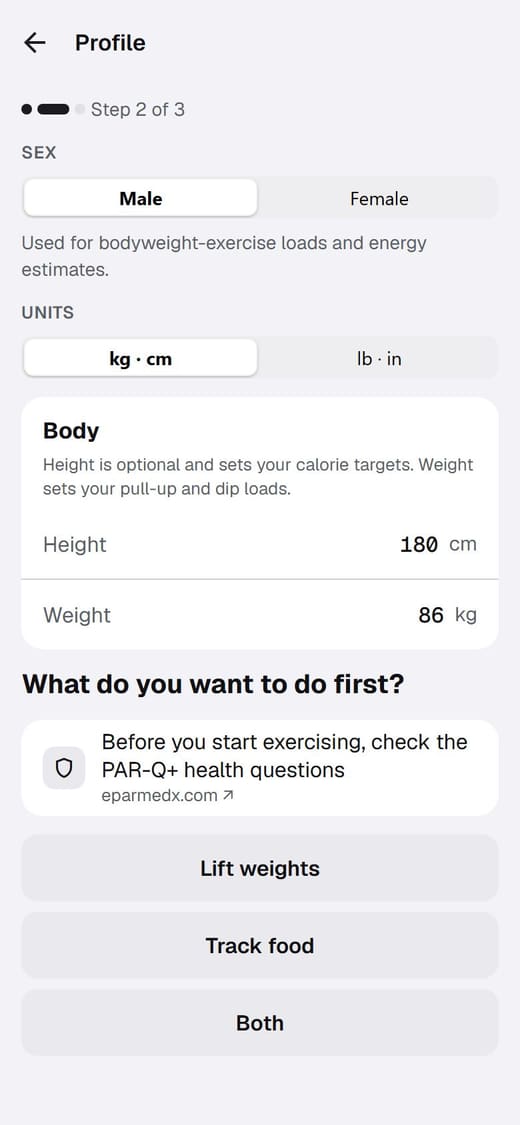
Step 02About youSex, units, height and weight, then what to start with: lifting, food or both. 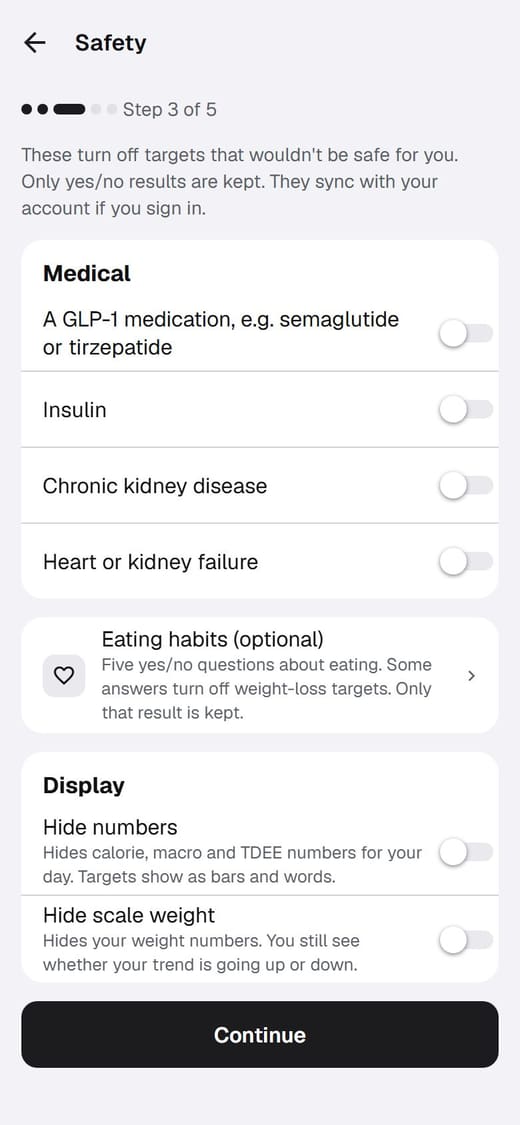
Step 03Safety checkHealth conditions that make calorie targets unsafe turn those targets off. Hiding numbers or scale weight is one tap. 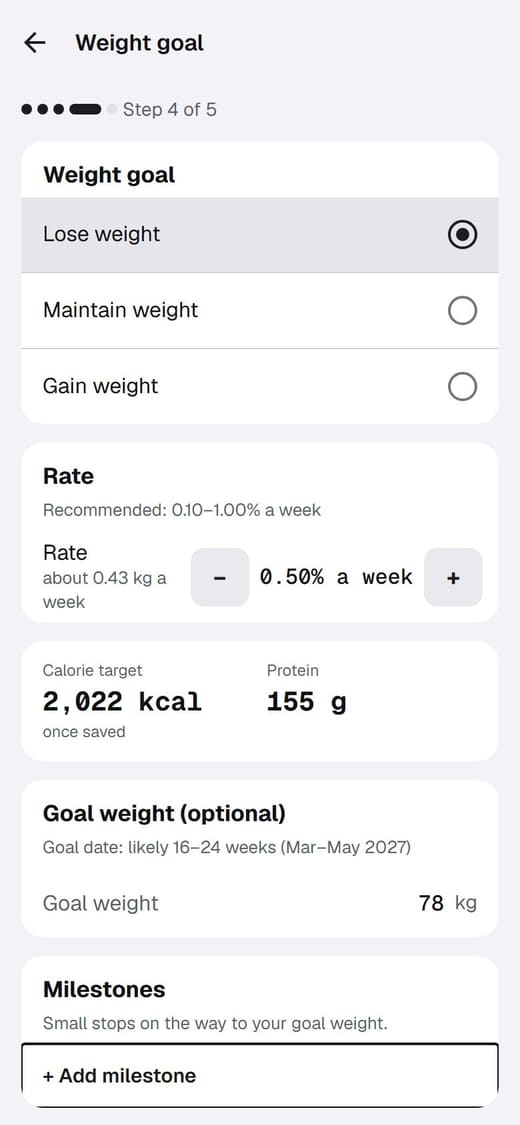
Step 04GoalLose, maintain or gain, a goal weight with milestones, and a diet and protein style. The preview shows the first targets. 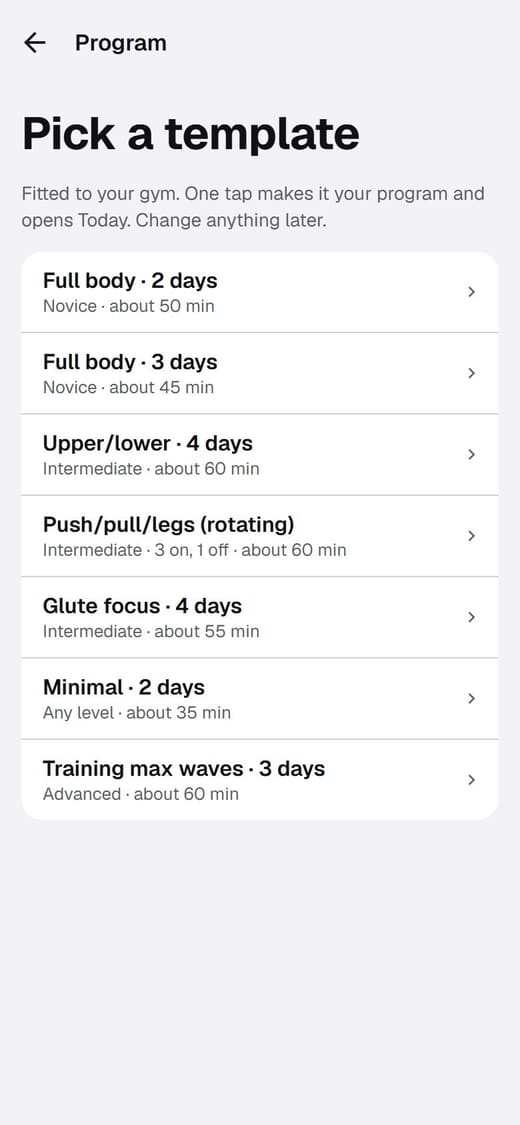
Step 05Pick a programSeven starter programs, from two full-body days to training-max waves. 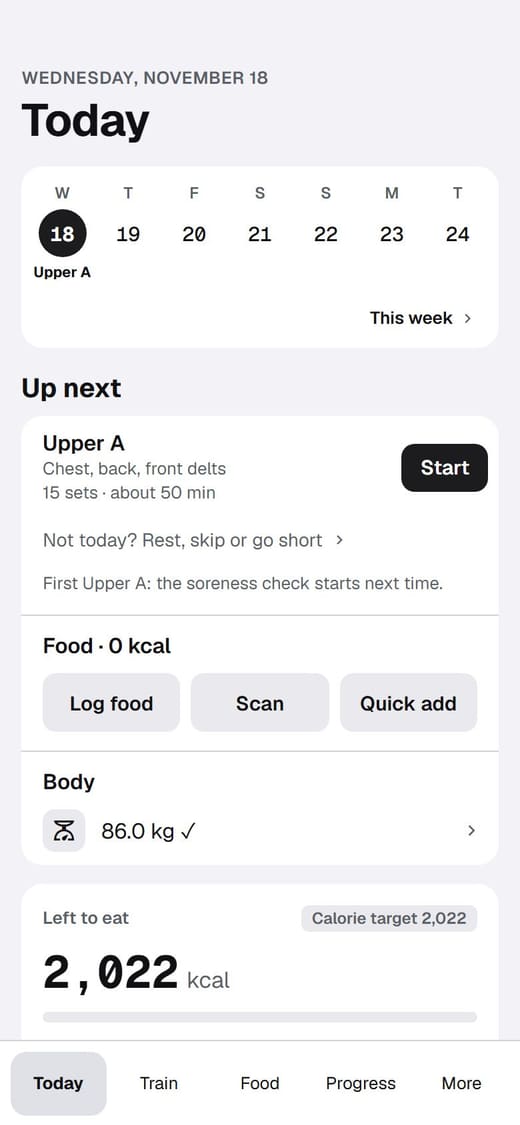
Step 06First TodayStraight into Today: the first workout of the program is up next.
Today
5 steps
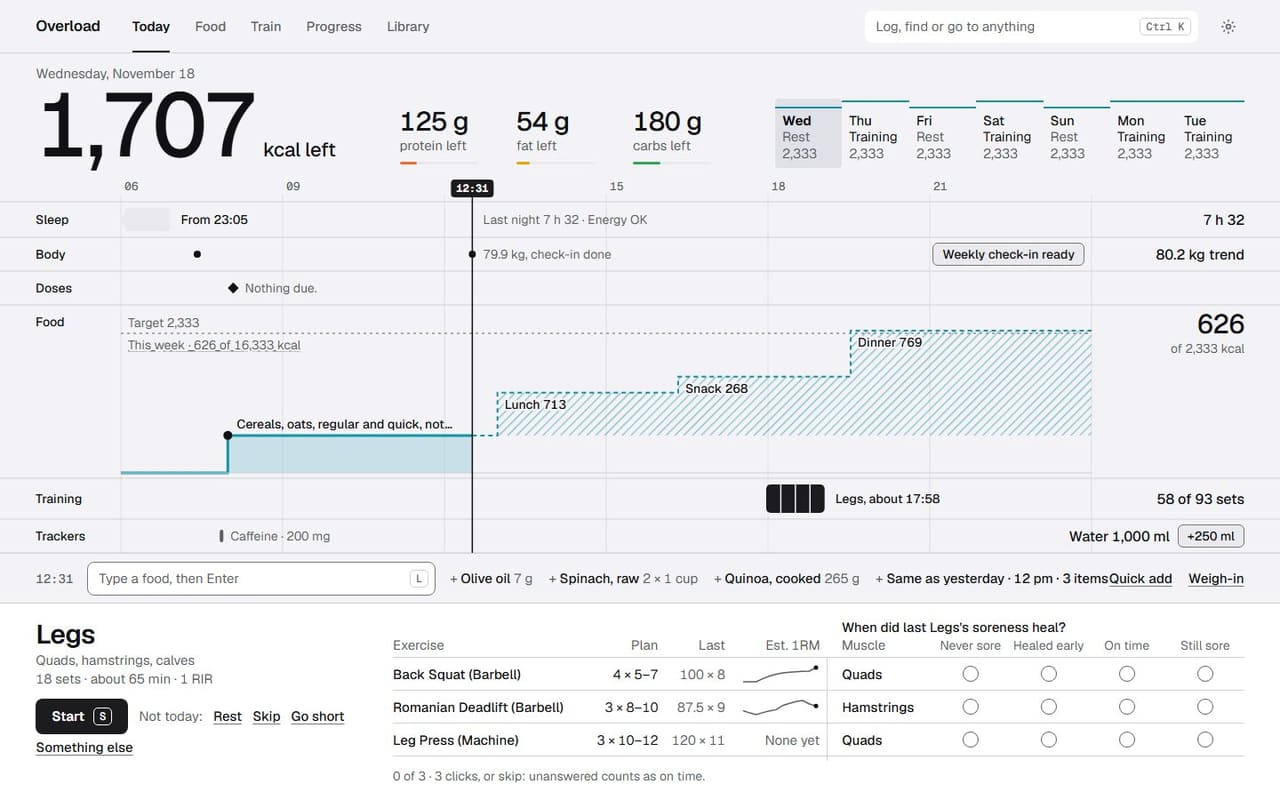
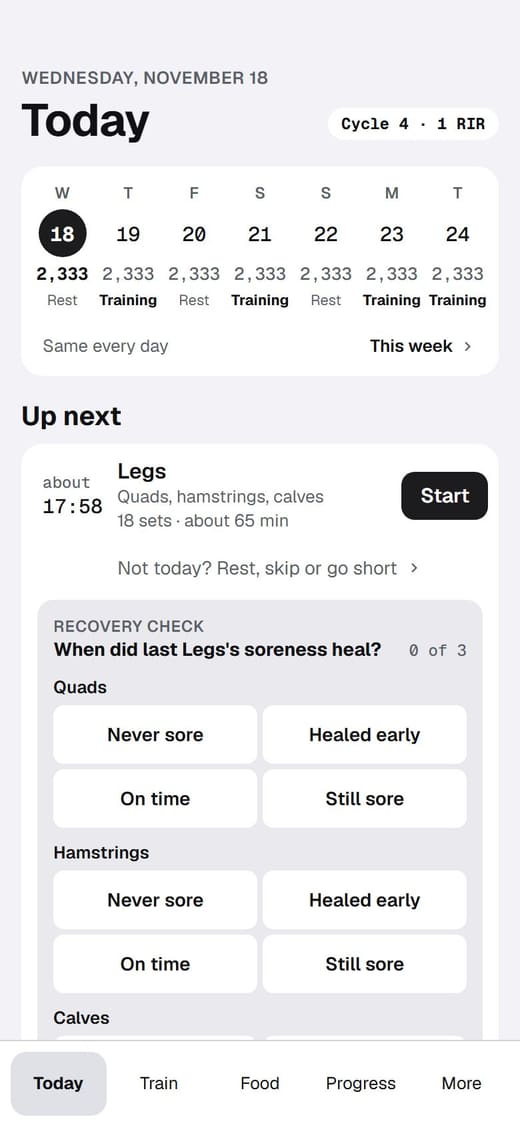
Step 01TodayThe week strip with each day's calorie target, the next workout with its usual time, and a quick recovery check. 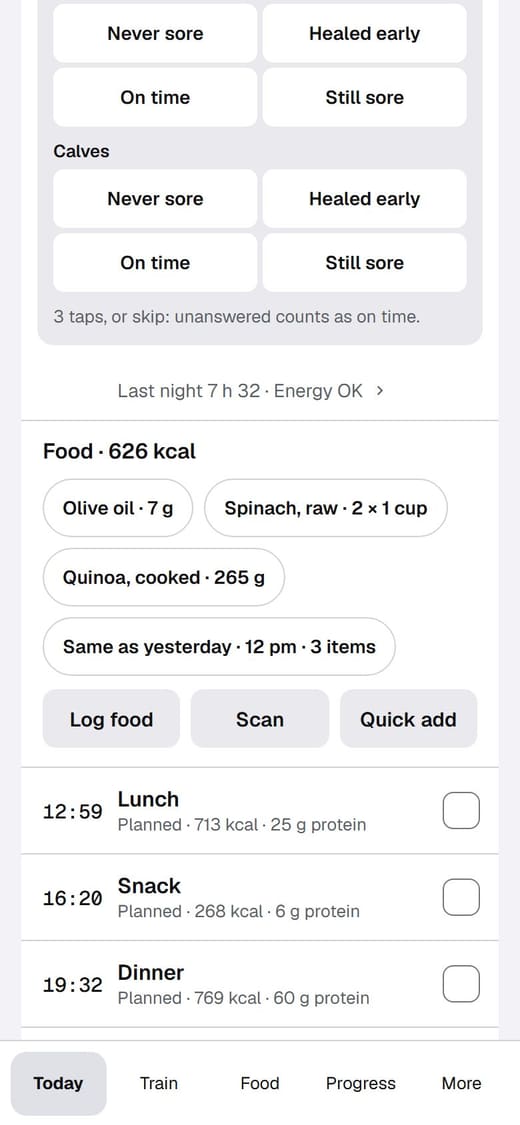
Step 02Today, further downFurther down: last night's sleep, food so far with one-tap go-tos, and the meals planned for later today. 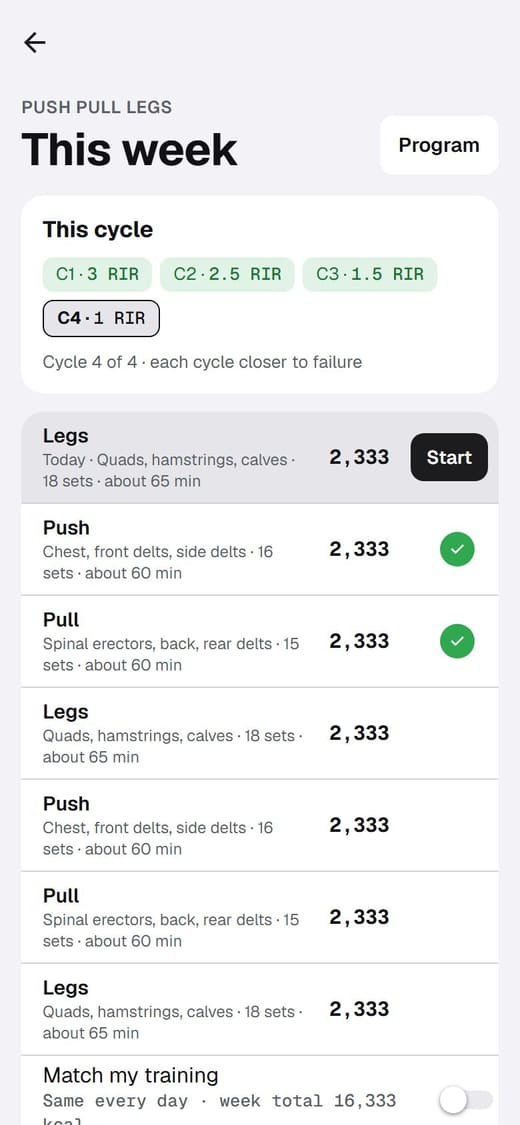
Step 03This weekTraining days and planned meals for the week, with the calorie target of each day. 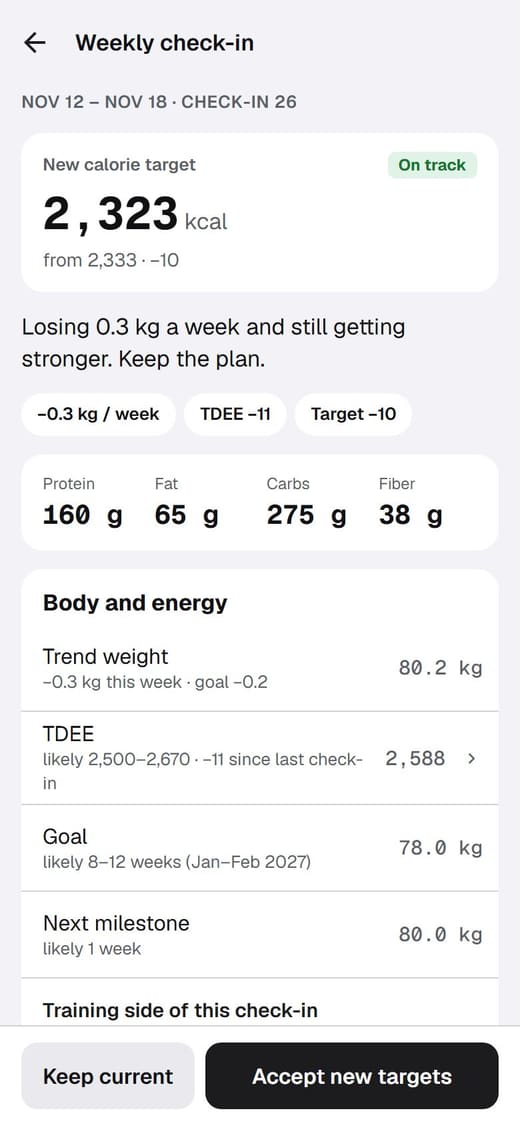
Step 04Weekly check-inEvery week the app reads the weight trend and intake, explains what changed and proposes new targets. 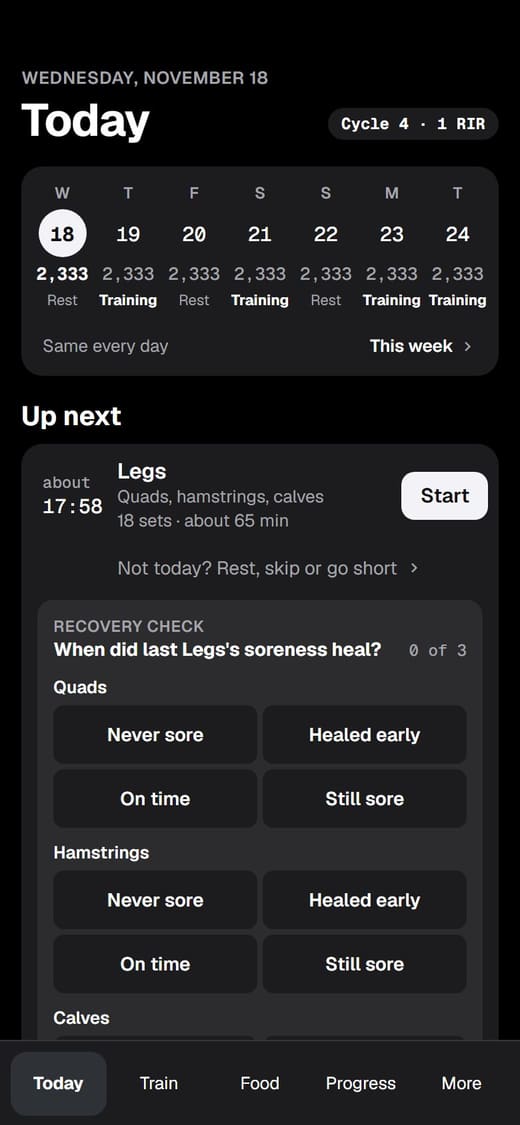
Step 05Today, darkThe same screen in the dark theme, which follows the system setting.
Train a workout
7 steps
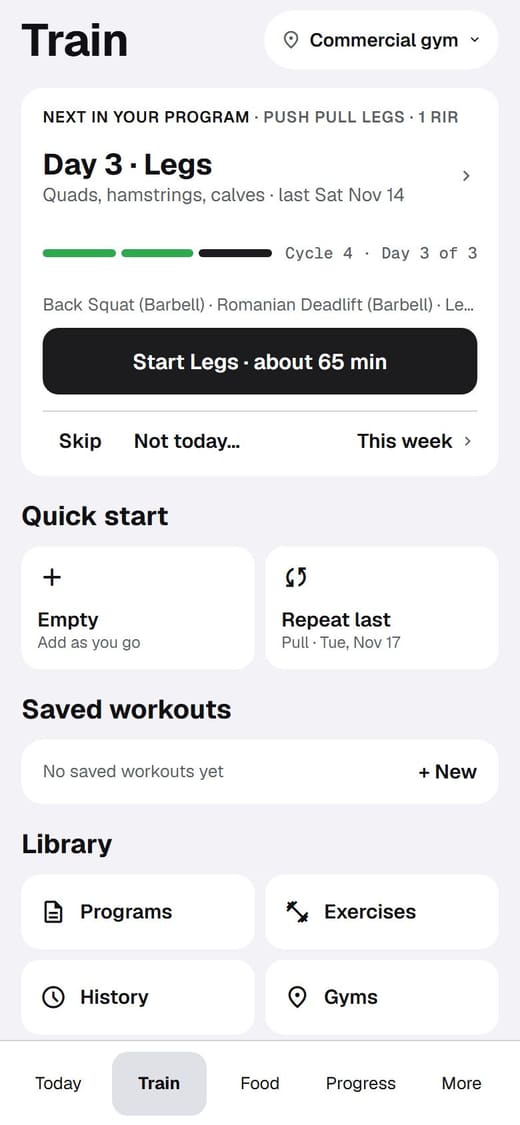
Step 01TrainThe program's next day, the cycle and this week, ready to start. 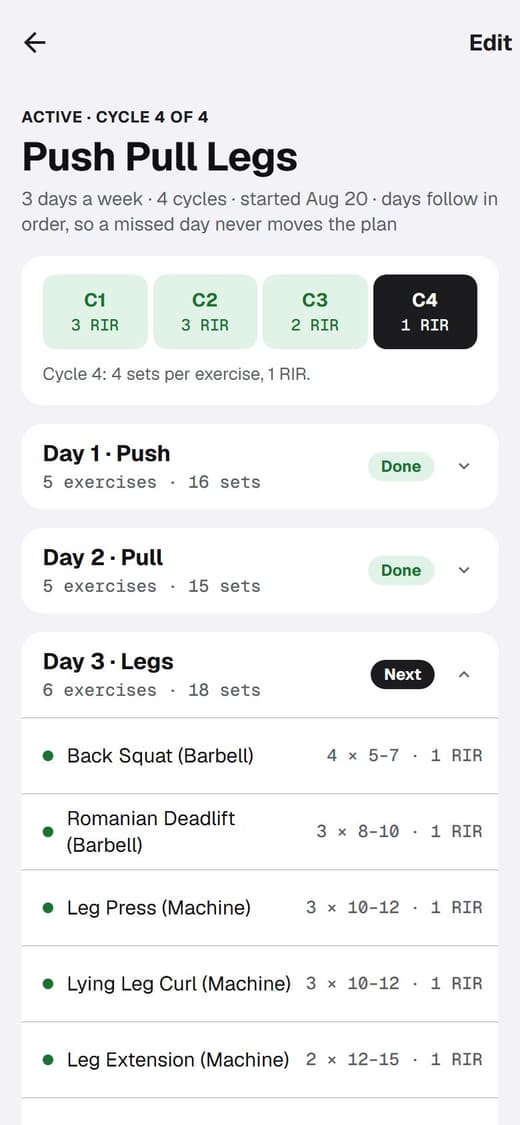
Step 02ProgramA four-cycle Push Pull Legs program with planned sets, reps and RIR per cycle. 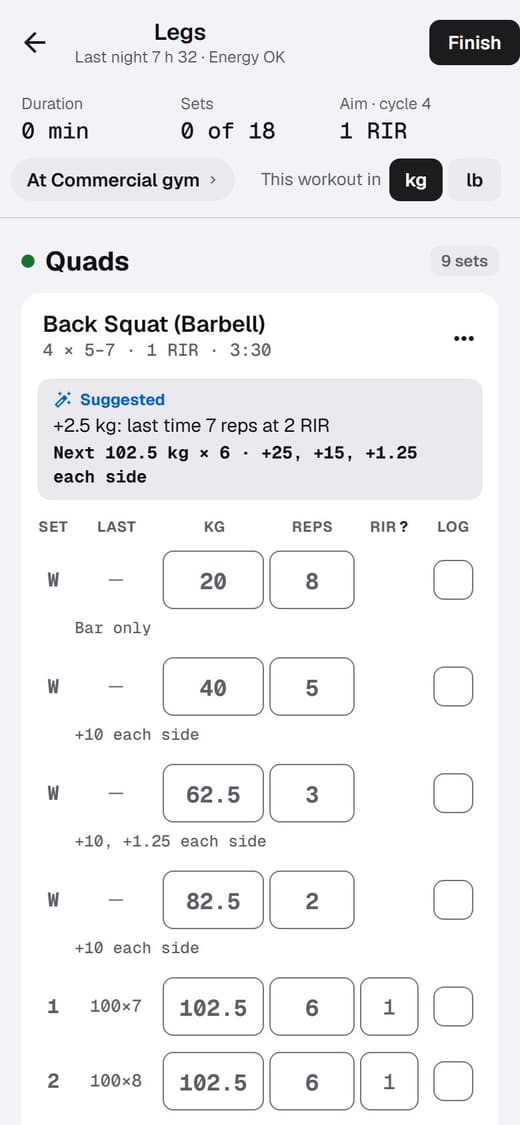
Step 03WorkoutEach set comes with a suggested weight and reps from the last session, and warm-ups worked out. 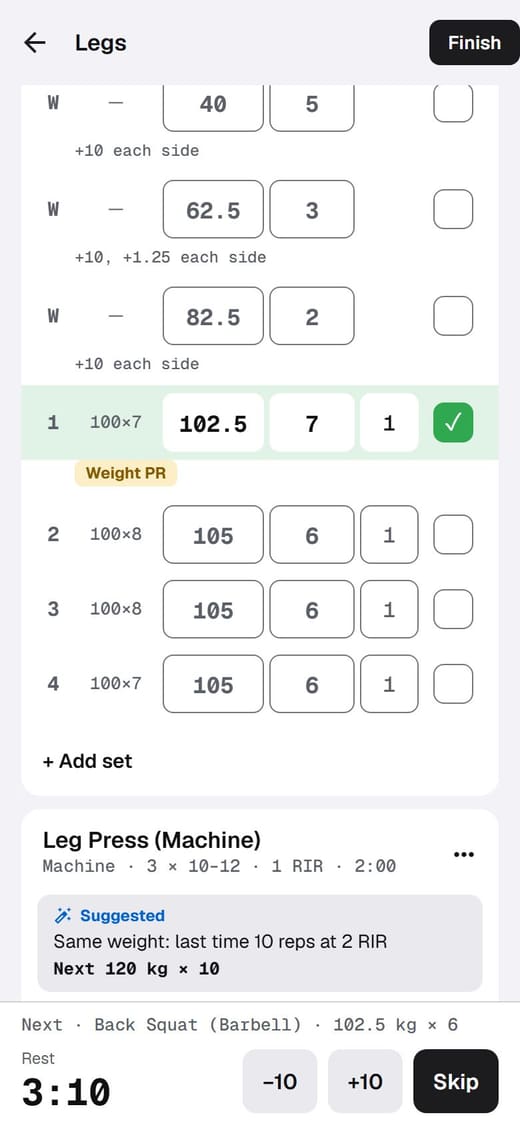
Step 04Rest timerLogging a set starts the rest timer; the next set is ready below. 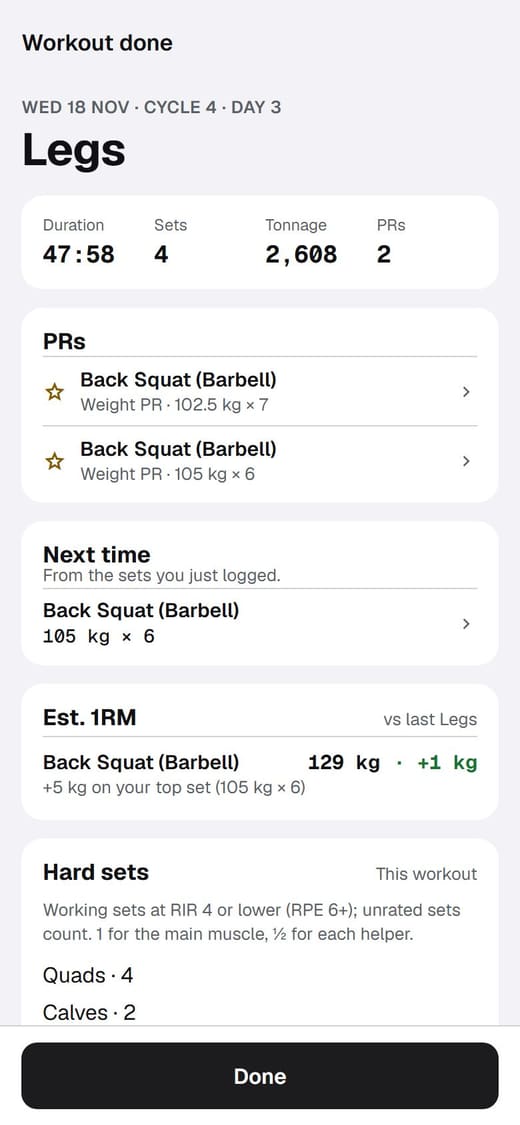
Step 05SummaryDuration, sets, tonnage and the records the workout set. 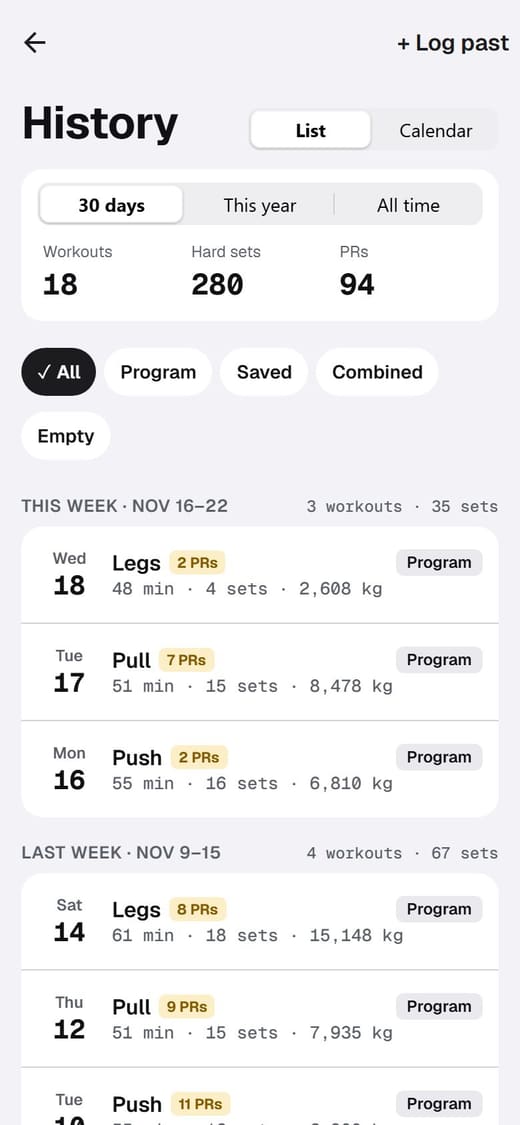
Step 06HistoryEvery workout of the last six months. 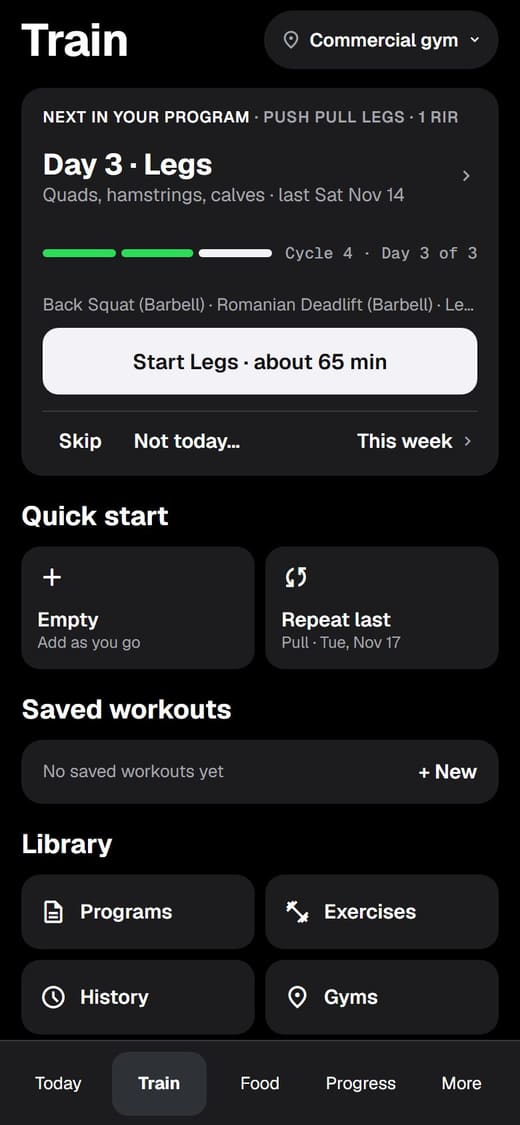
Step 07Train, darkThe same screen in the dark theme, which follows the system setting.
Log food
6 steps
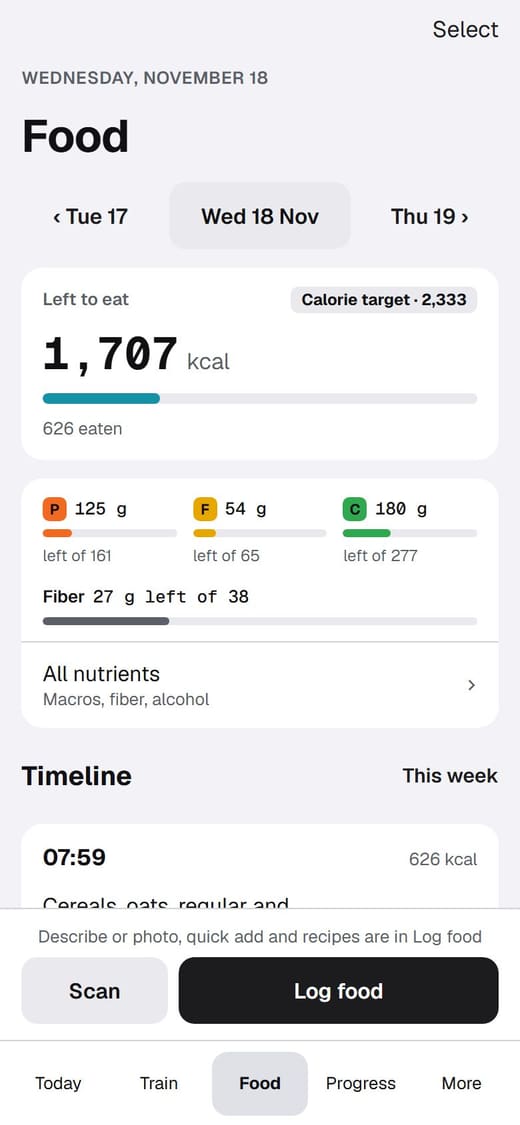
Step 01FoodThe day's meals against calorie and macro targets. 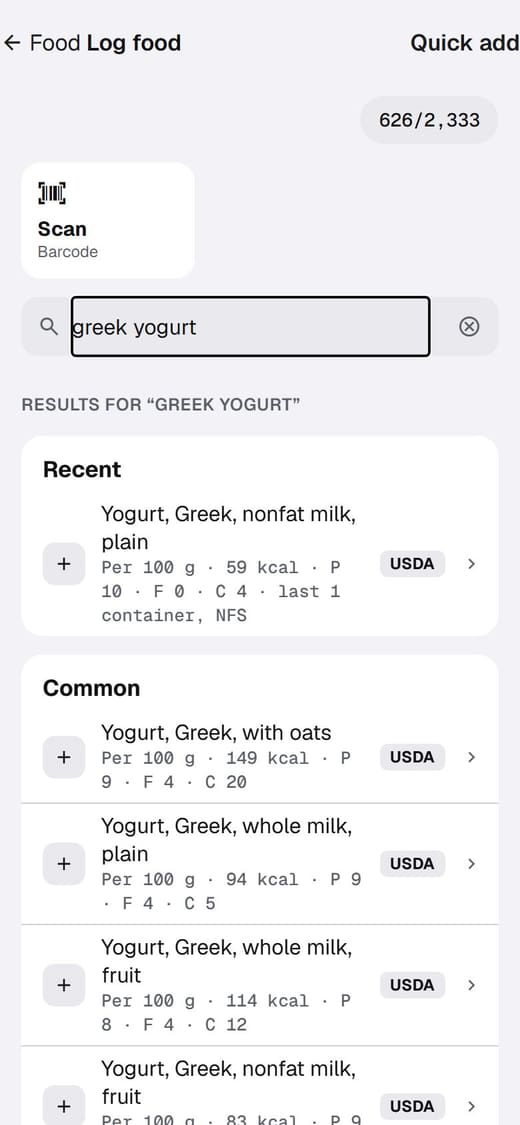
Step 02SearchA local food database searches as you type: real USDA data, recent foods first. 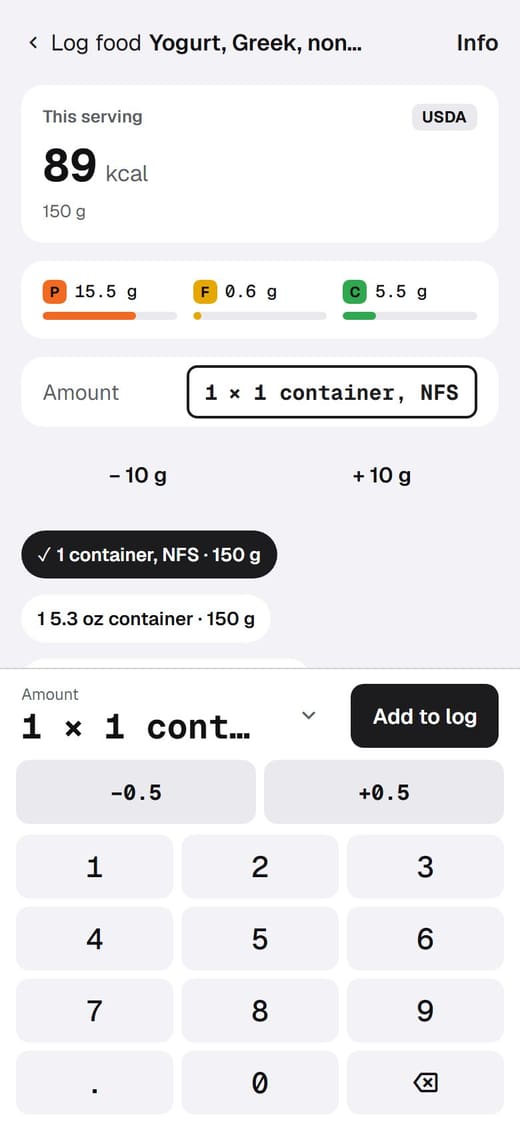
Step 03AmountPick a serving or grams on the app's own number pad; the totals update as you type. 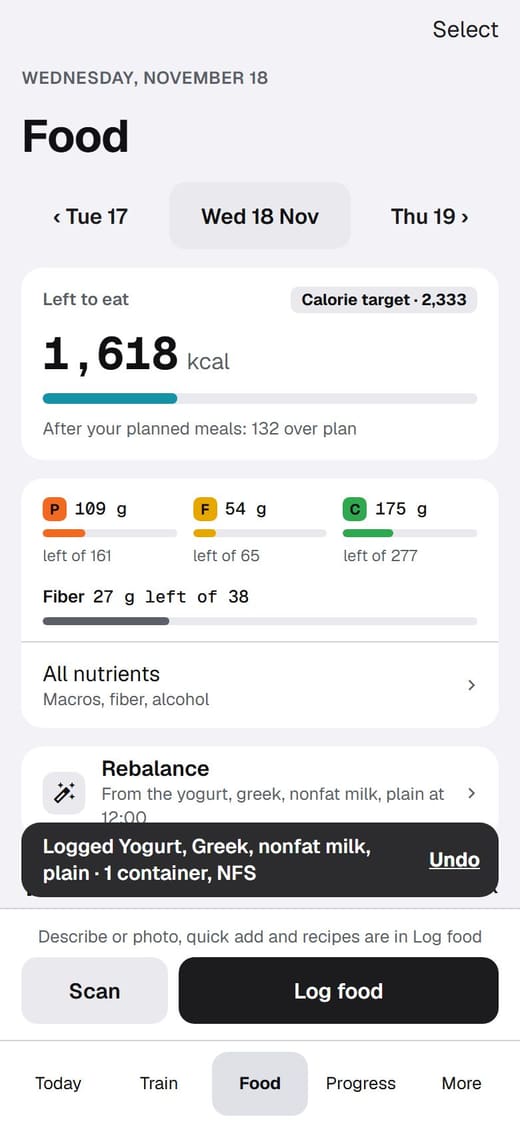
Step 04LoggedBack on Food with the new item counted. 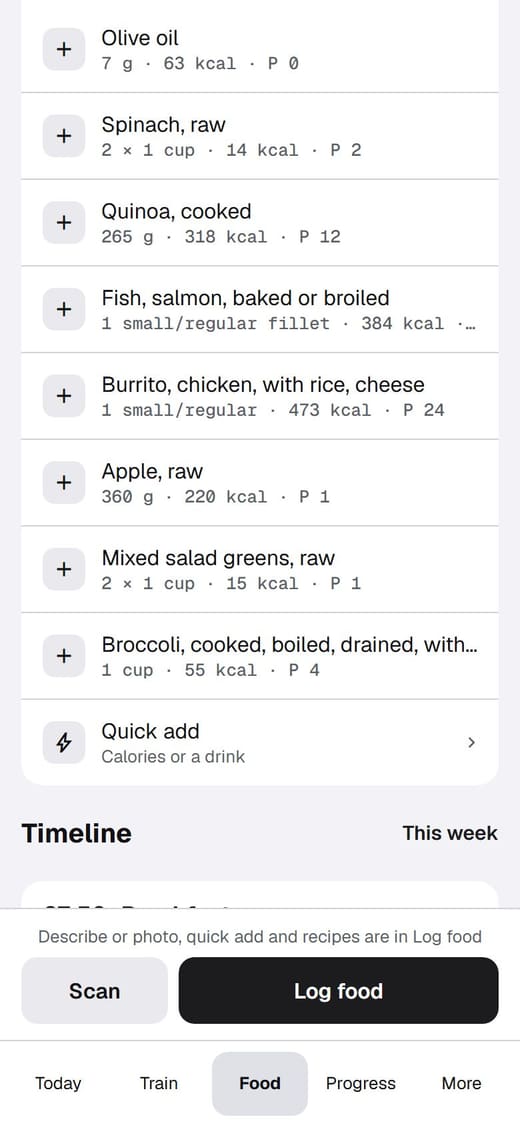
Step 05TomorrowThursday, nothing eaten yet: go-to foods are one tap each, and the day's planned meals sit further down. 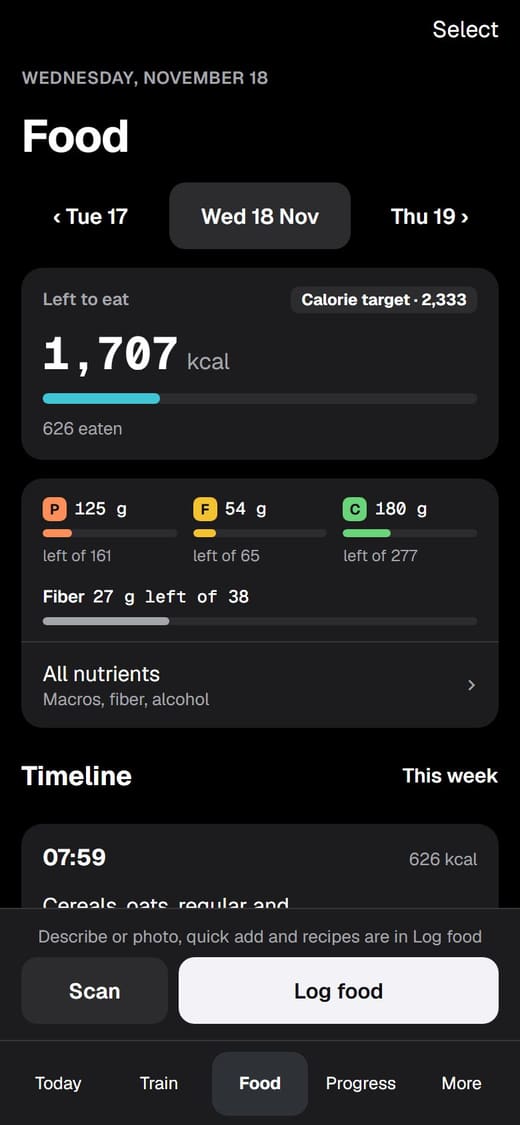
Step 06Food, darkThe same screen in the dark theme, which follows the system setting.
Progress
6 steps
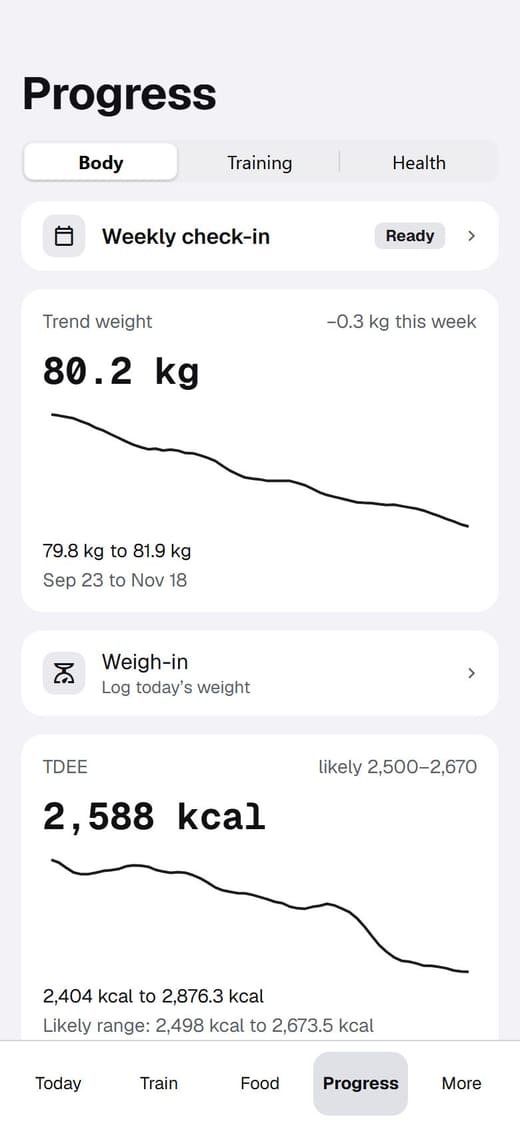
Step 01ProgressThe Body tab: trend weight, weigh-ins and estimated daily energy use (TDEE), with Training and Health one tap away. 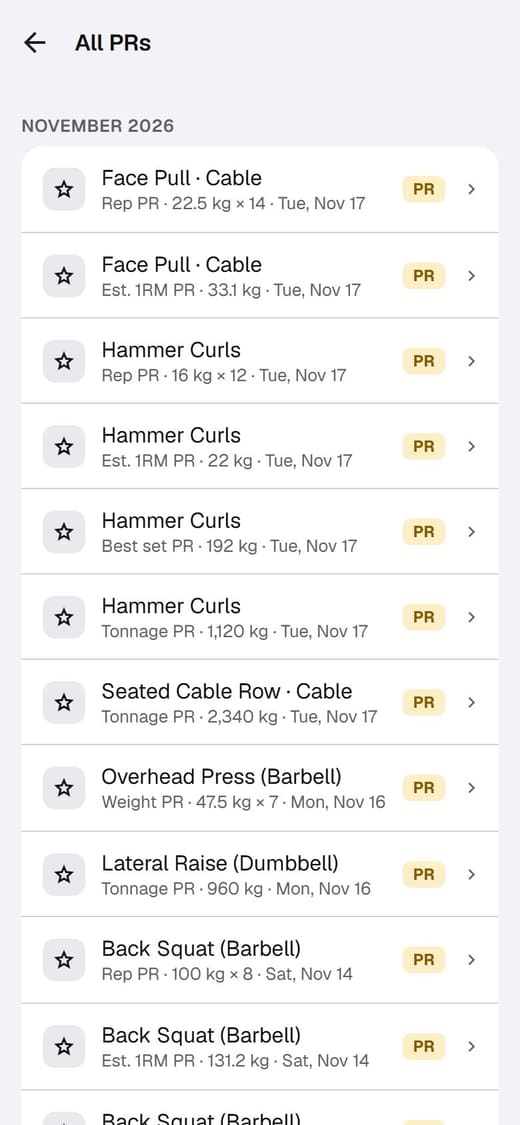
Step 02Personal recordsRep, weight, estimated-1RM and volume records, replayed from every logged set. 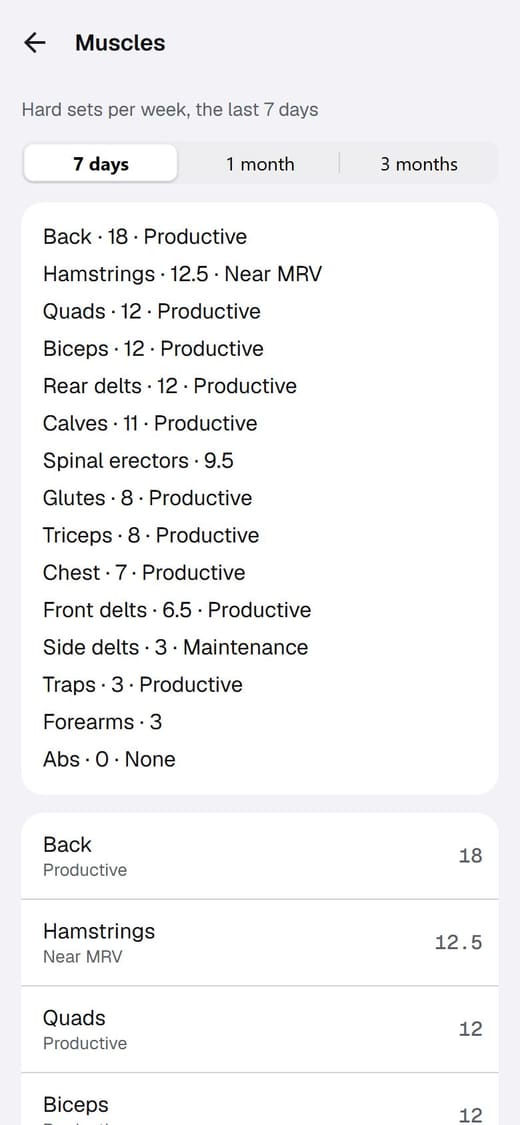
Step 03MusclesWeekly hard sets per muscle against productive volume ranges. 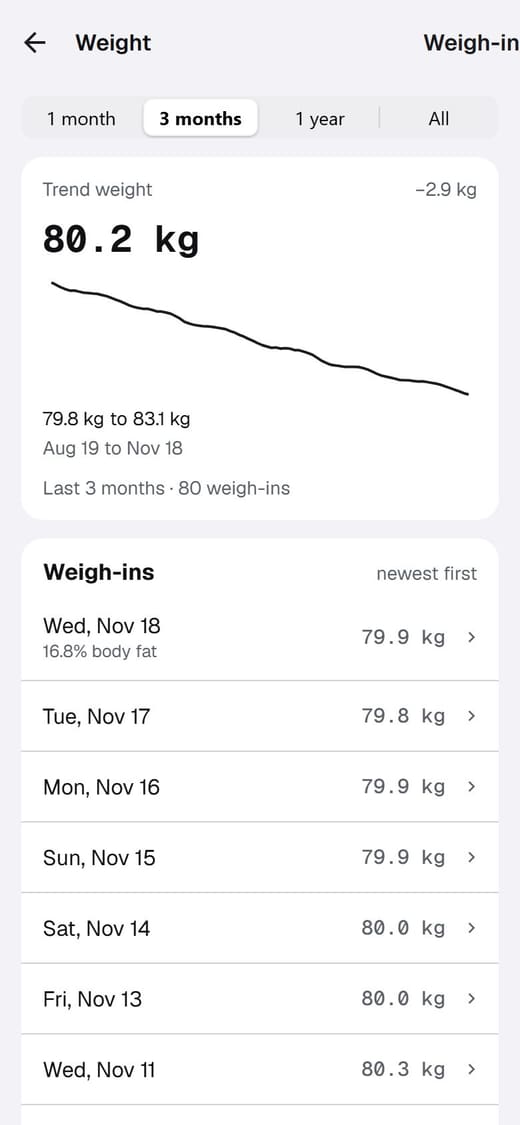
Step 04Weight trendWeigh-ins smoothed into a trend weight: down 2.9 kg over the last three months of the cut. 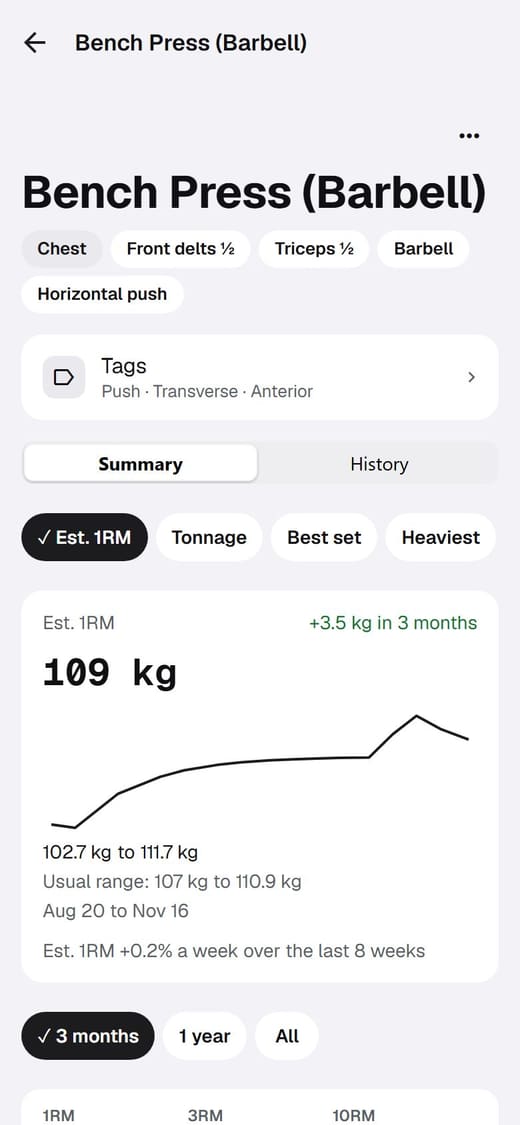
Step 05Bench pressOne lift's estimated 1RM, best sets and history. 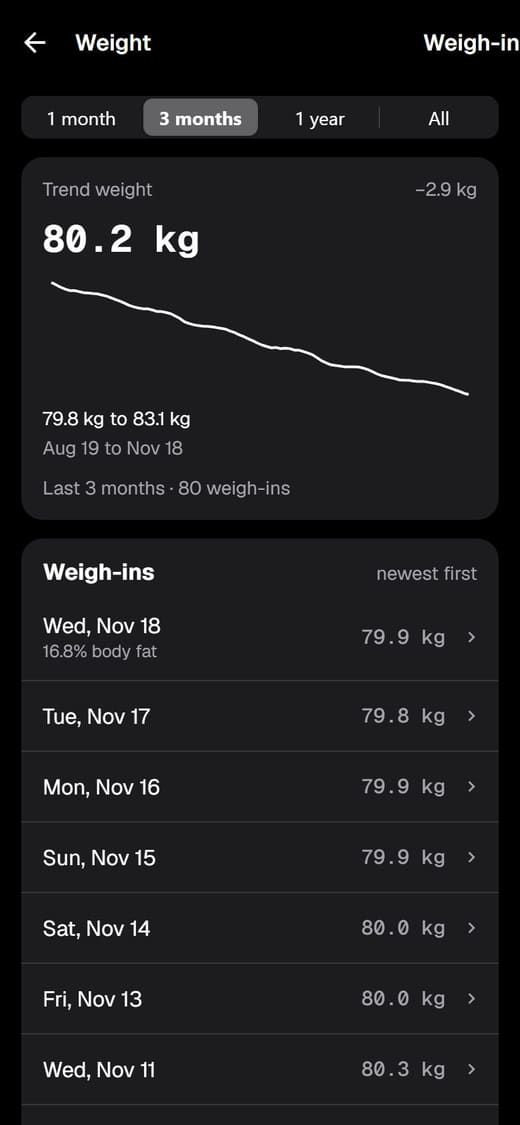
Step 06Weight trend, darkThe same screen in the dark theme, which follows the system setting.
Health
4 steps
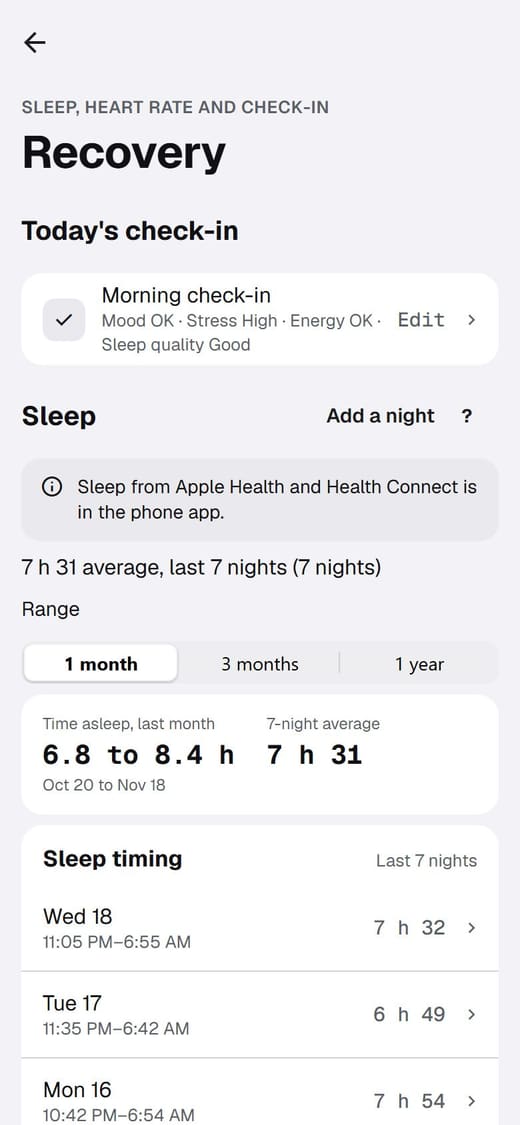
Step 01RecoverySleep, resting heart rate, HRV and the morning check-in, read together. 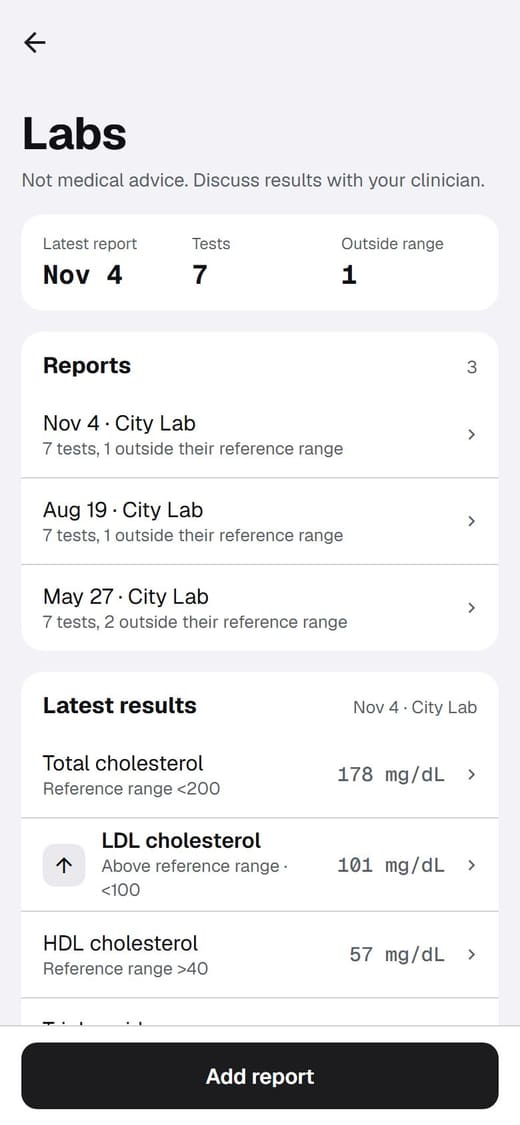
Step 02Lab resultsBlood tests over time against reference ranges, with a clinician summary. 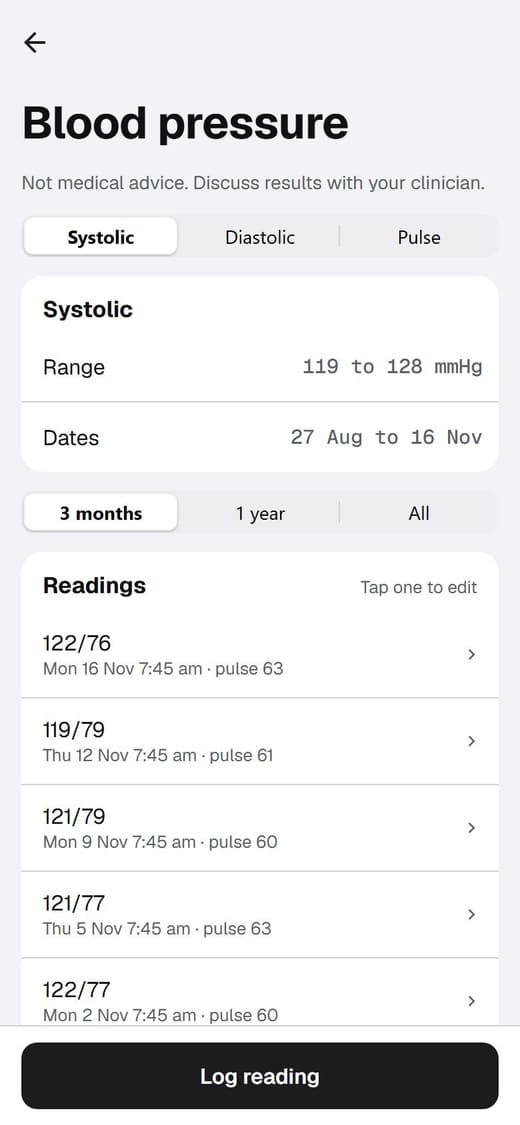
Step 03Blood pressureTwice-weekly readings and their trend. 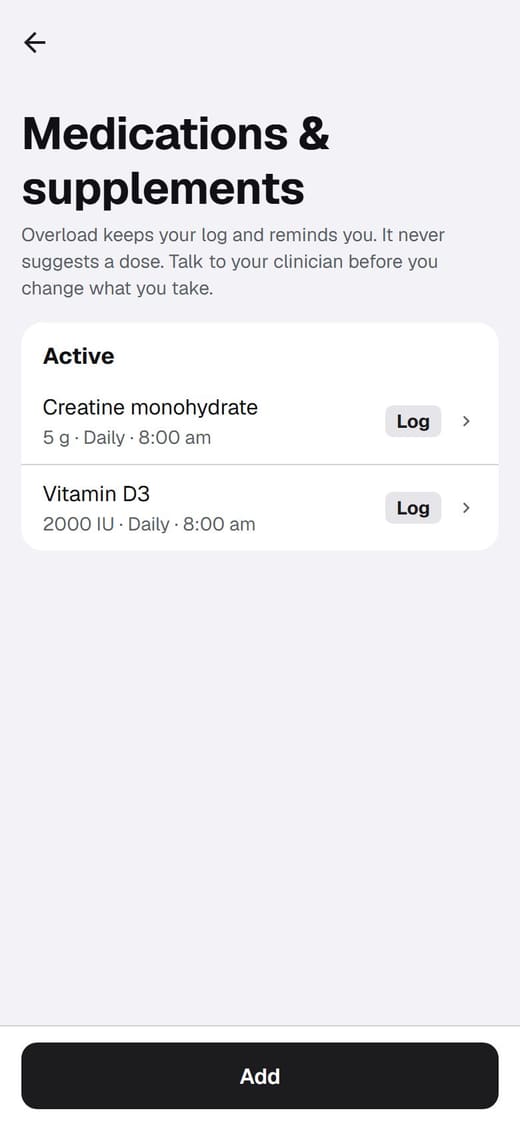
Step 04Medications and supplementsA schedule for creatine and vitamin D, with doses logged.
Settings
4 steps
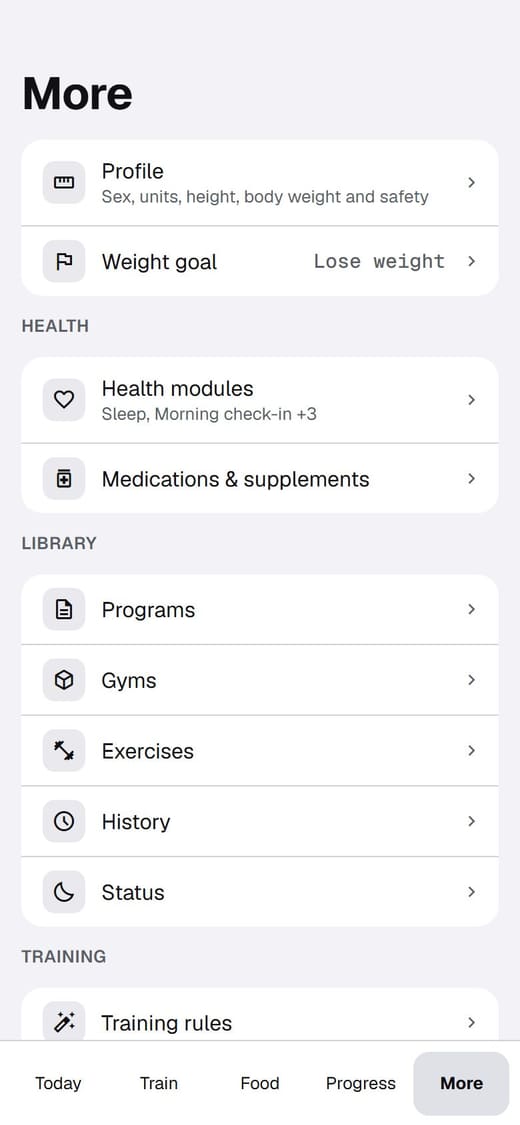
Step 01MoreSettings, health modules and data, grouped. 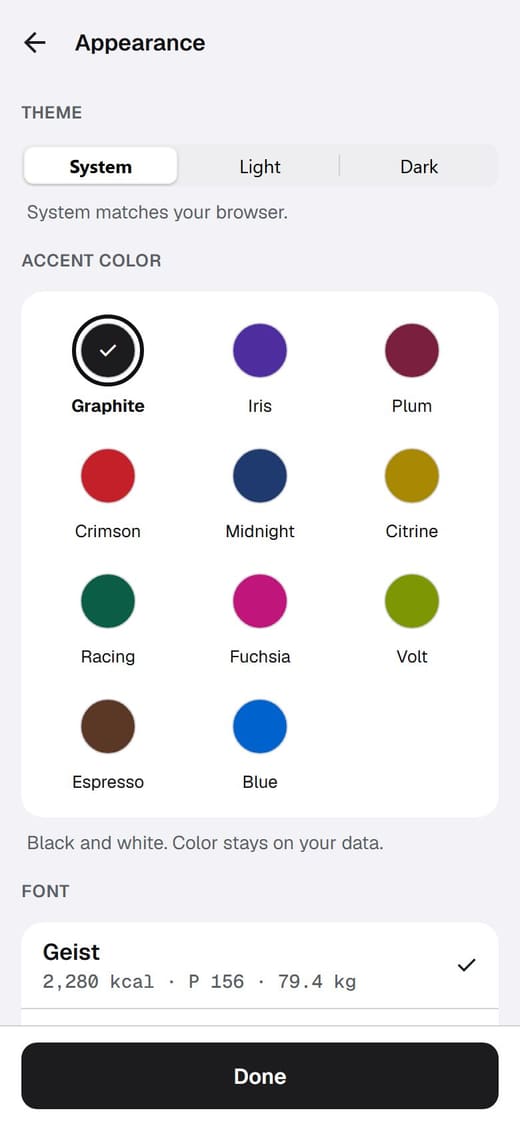
Step 02AppearanceTheme, accent colour and font. 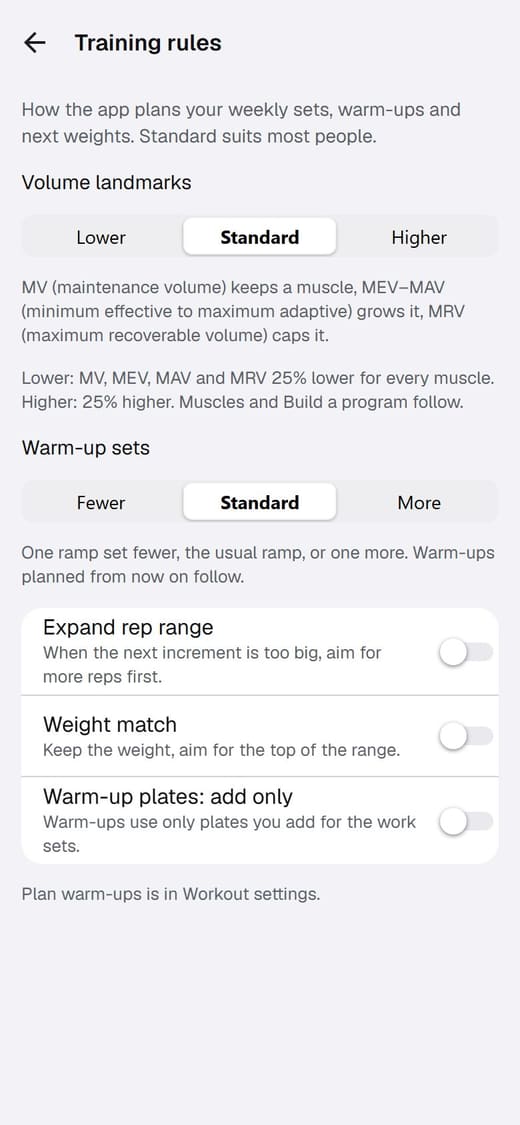
Step 03Training rulesProgression, rest timers, warm-ups and plate rounding. 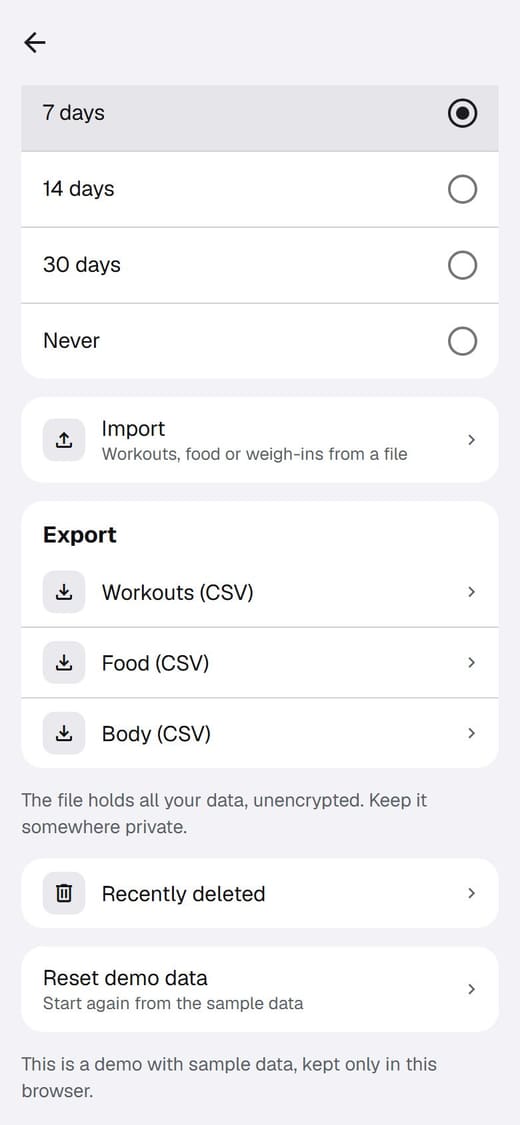
Step 04DataBackups, exports and import; in the demo, a reset back to the sample data.
Onboarding
3 steps
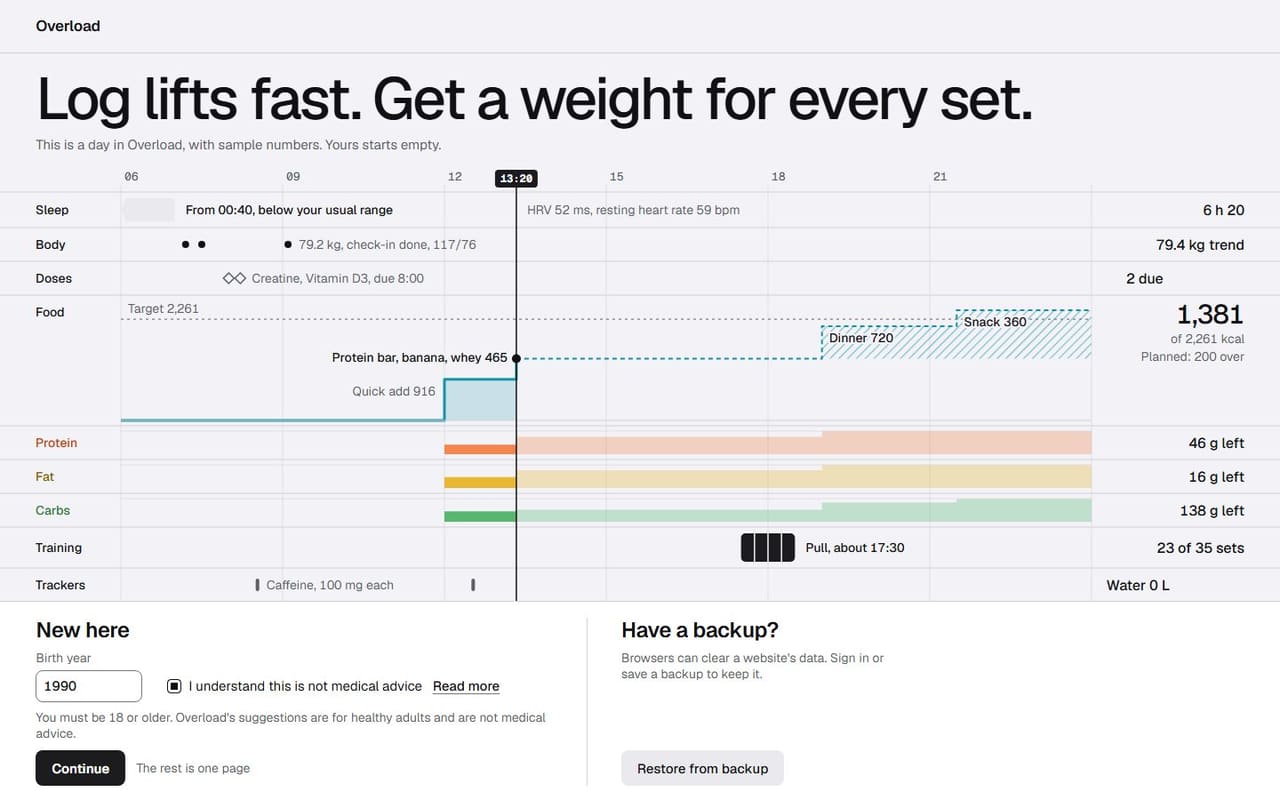
Step 01WelcomeA first visit at a desk: a birth year and a not-medical-advice check. 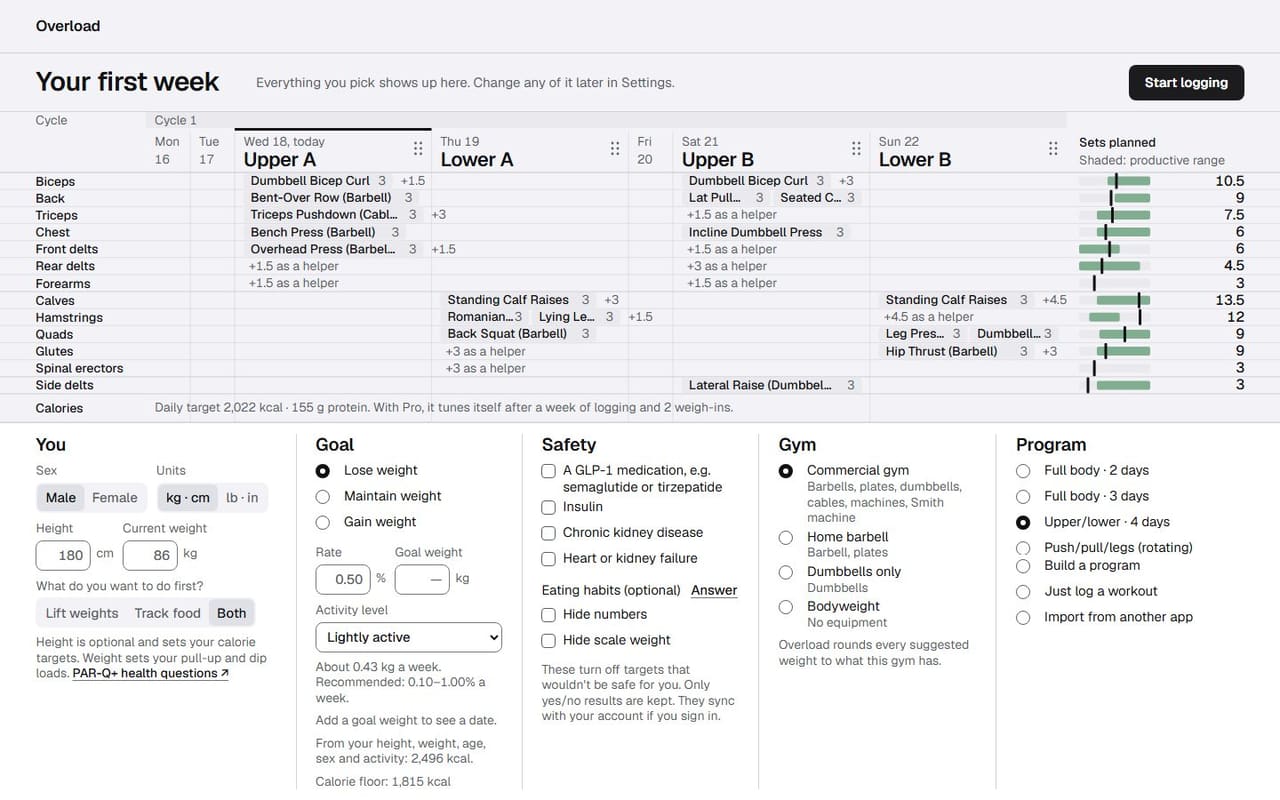
Step 02Your first weekOne page sets everything: you, the goal, safety, the gym and a program, with the first week drawn above as you pick. 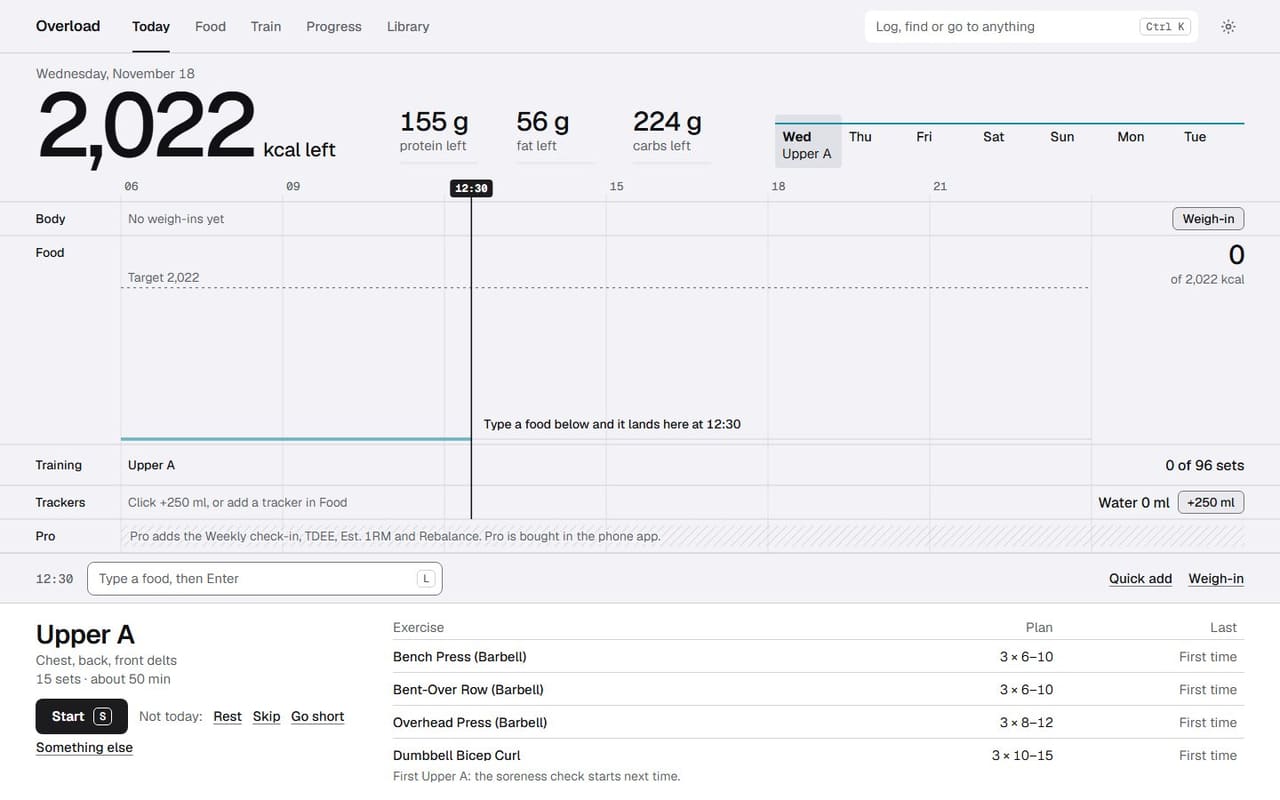
Step 03First TodayThe desk app opens on Today, with the program's first day up next.
Today
4 steps
Step 01TodayOne screen for the day: the next workout, calories and macros left, the week strip and a recovery check. 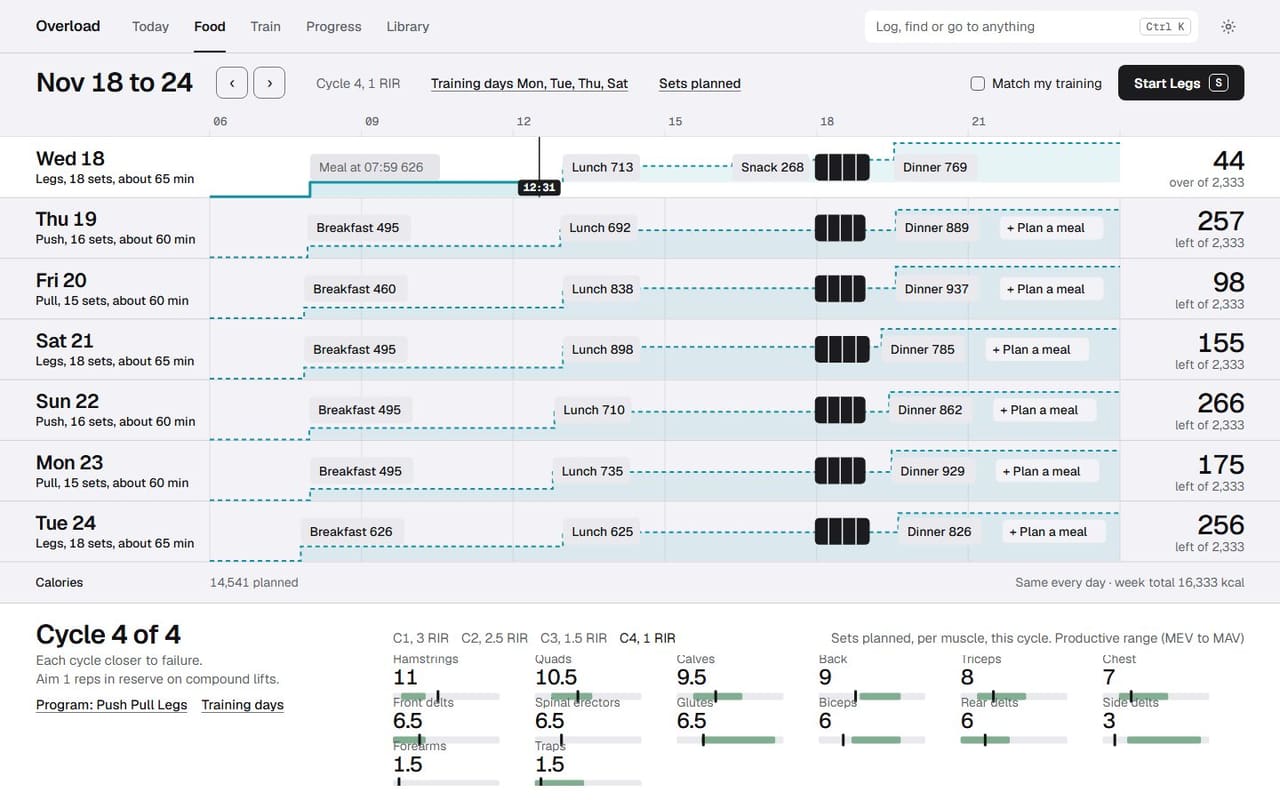
Step 02This weekTraining days and planned meals for the week, with the calorie target of each day. 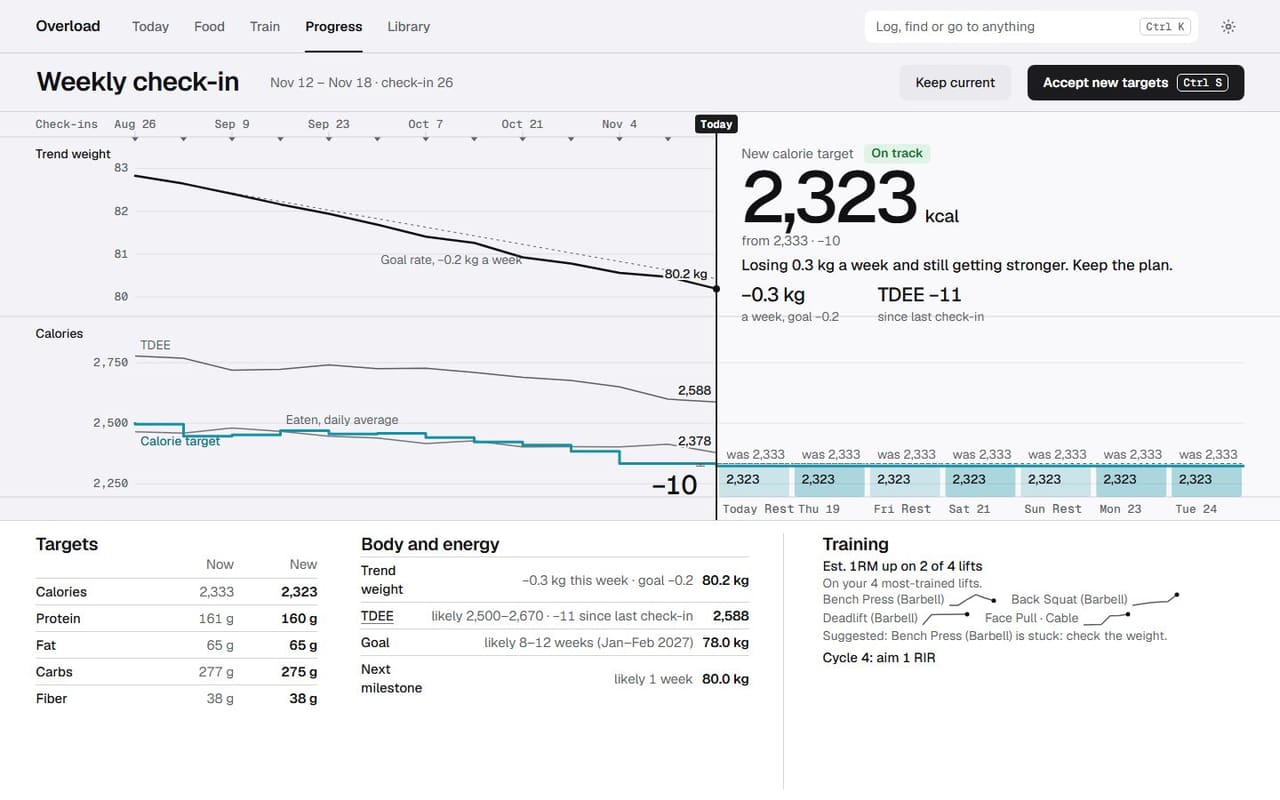
Step 03Weekly check-inEvery week the app reads the weight trend and intake, explains what changed and proposes new targets. 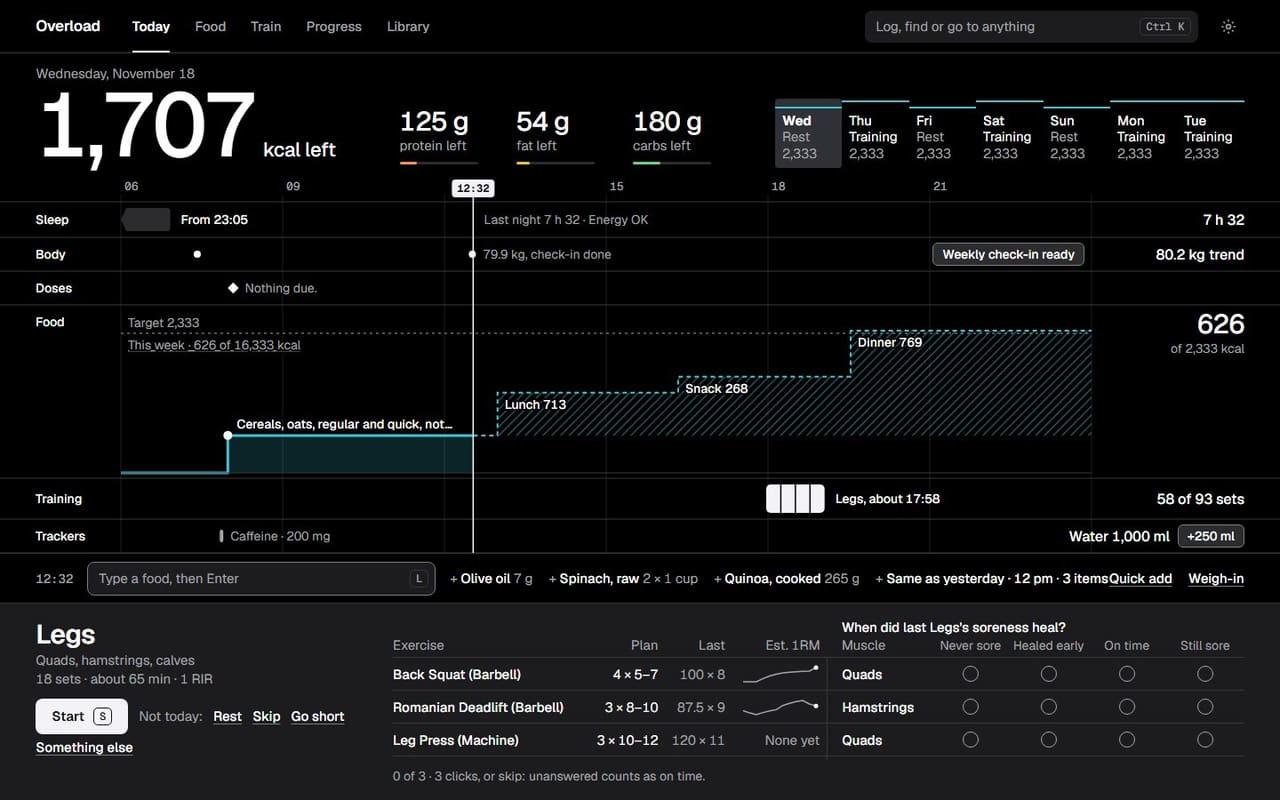
Step 04Today, darkThe same screen in the dark theme, which follows the system setting.
Train a workout
7 steps
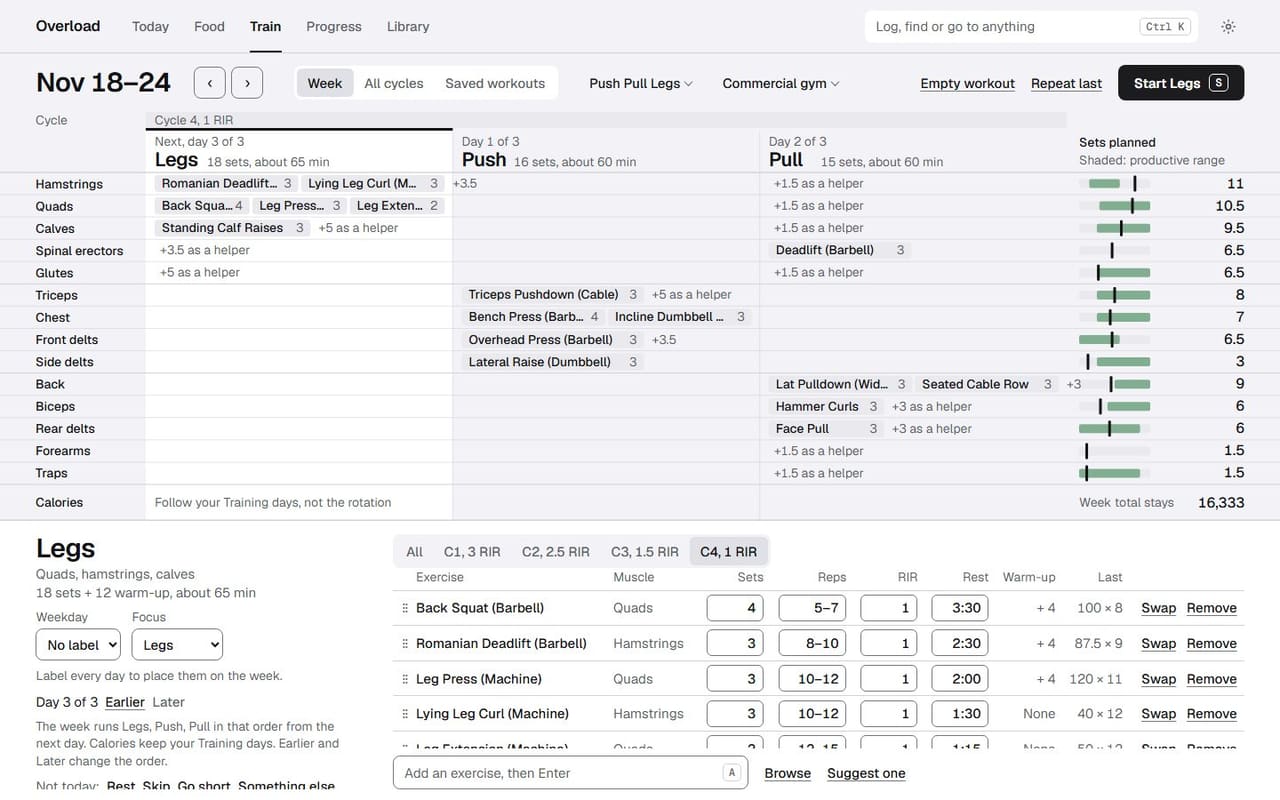
Step 01TrainThe program's next day, the cycle and this week, ready to start. 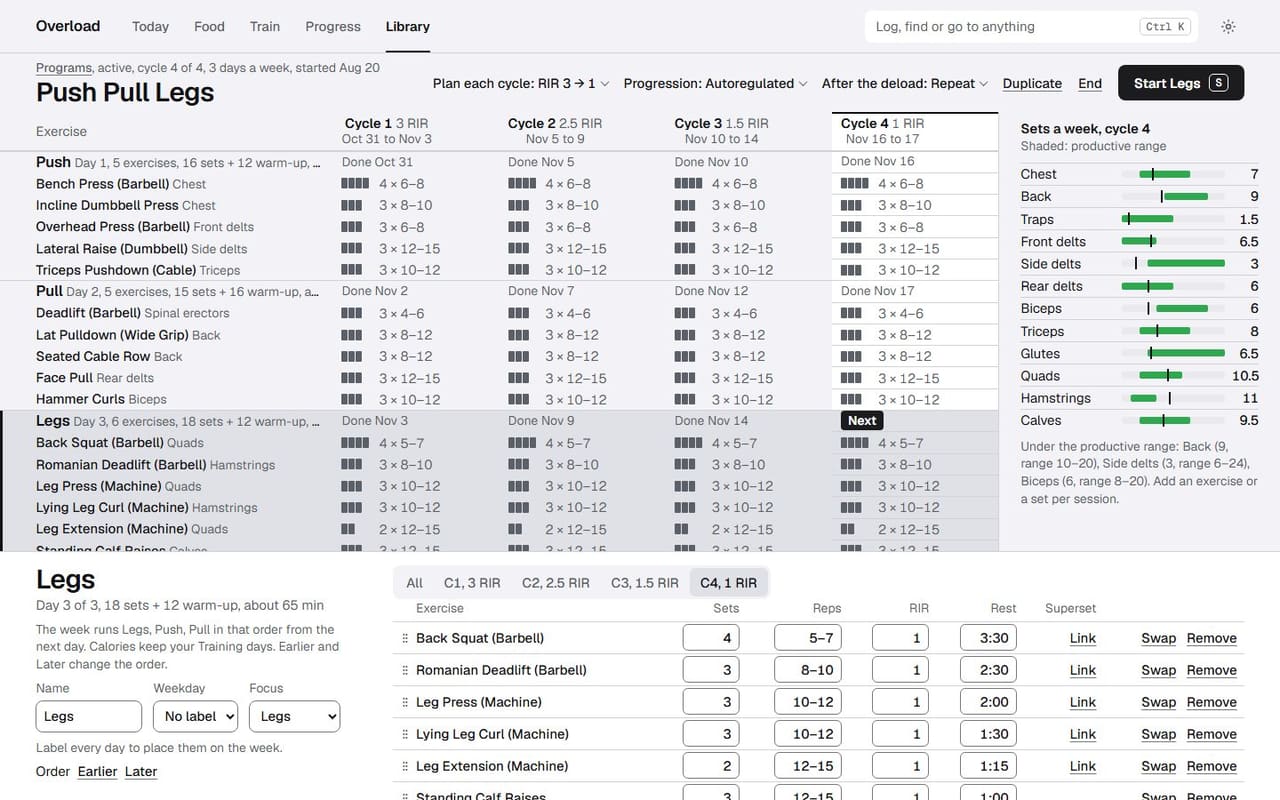
Step 02ProgramA four-cycle Push Pull Legs program with planned sets, reps and RIR per cycle. 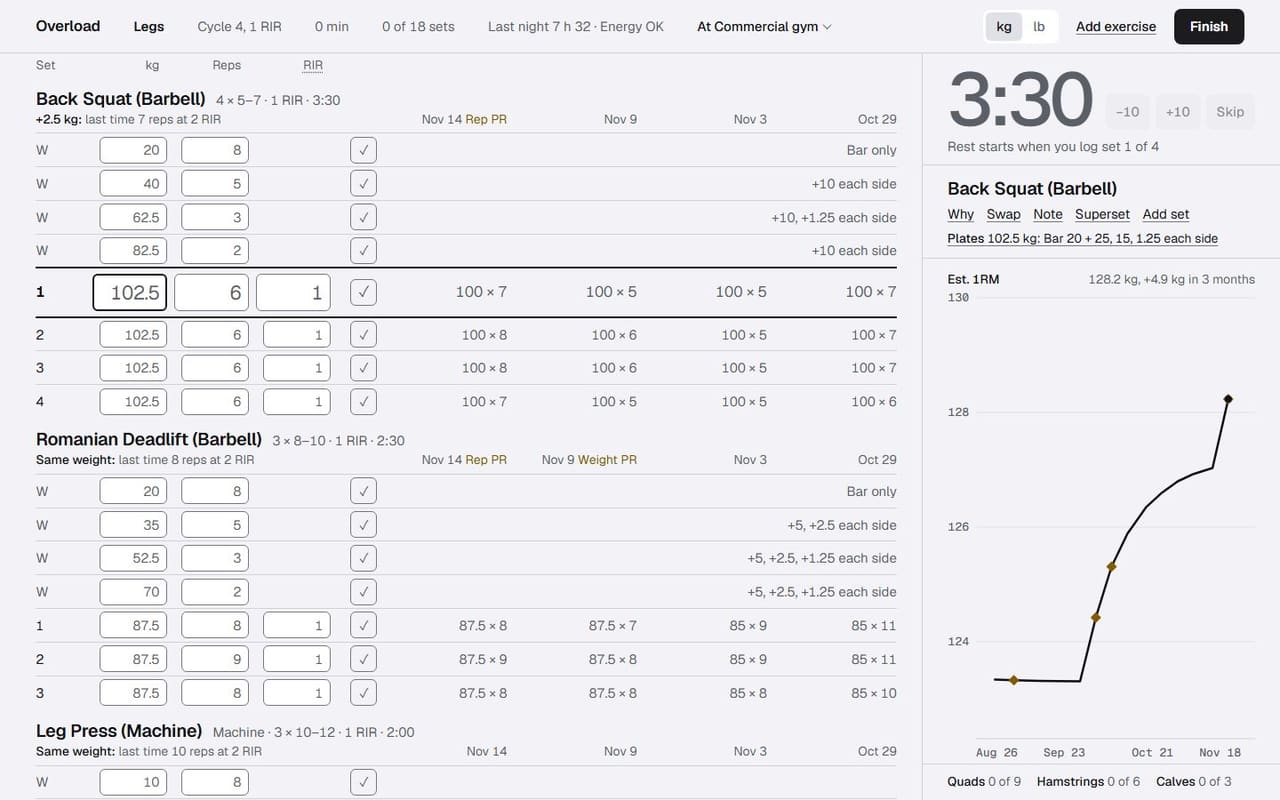
Step 03WorkoutEach set comes with a suggested weight and reps from the last session, and warm-ups worked out. 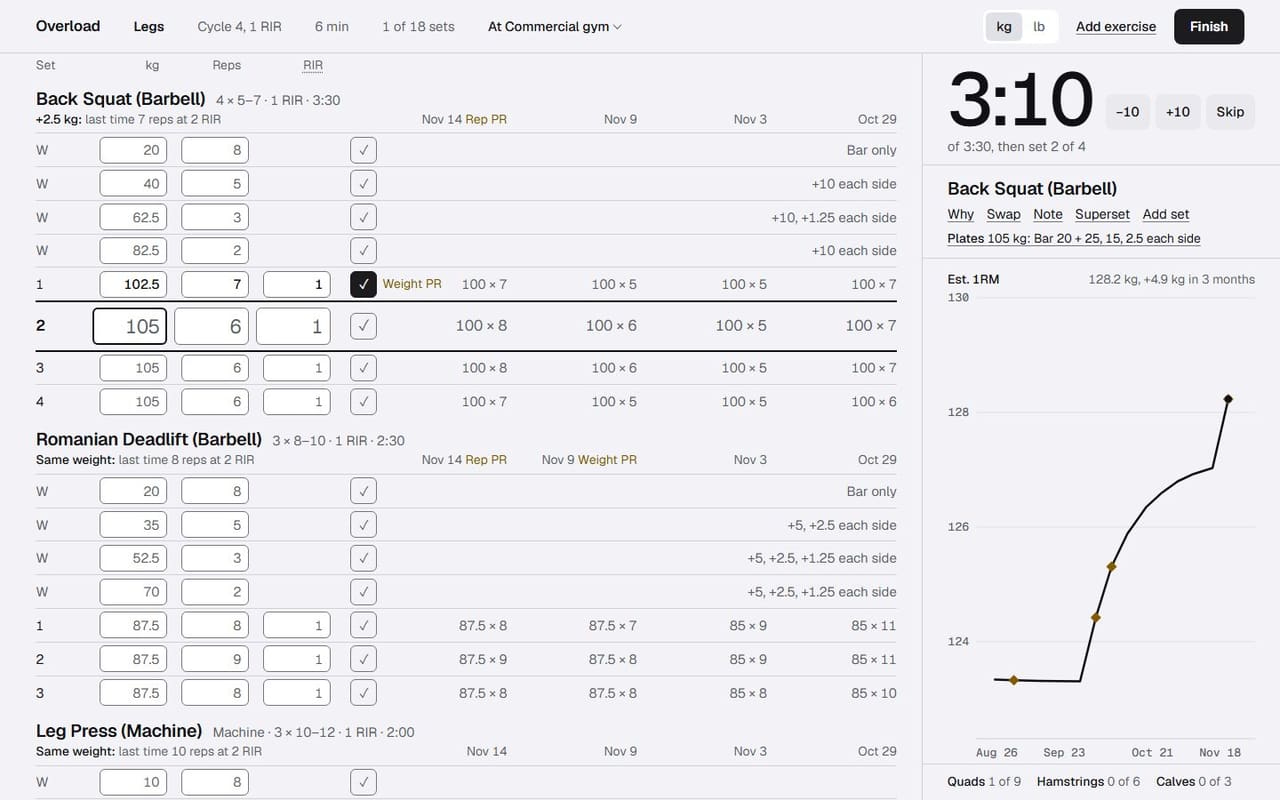
Step 04Rest timerLogging a set starts the rest timer; the next set is ready below. 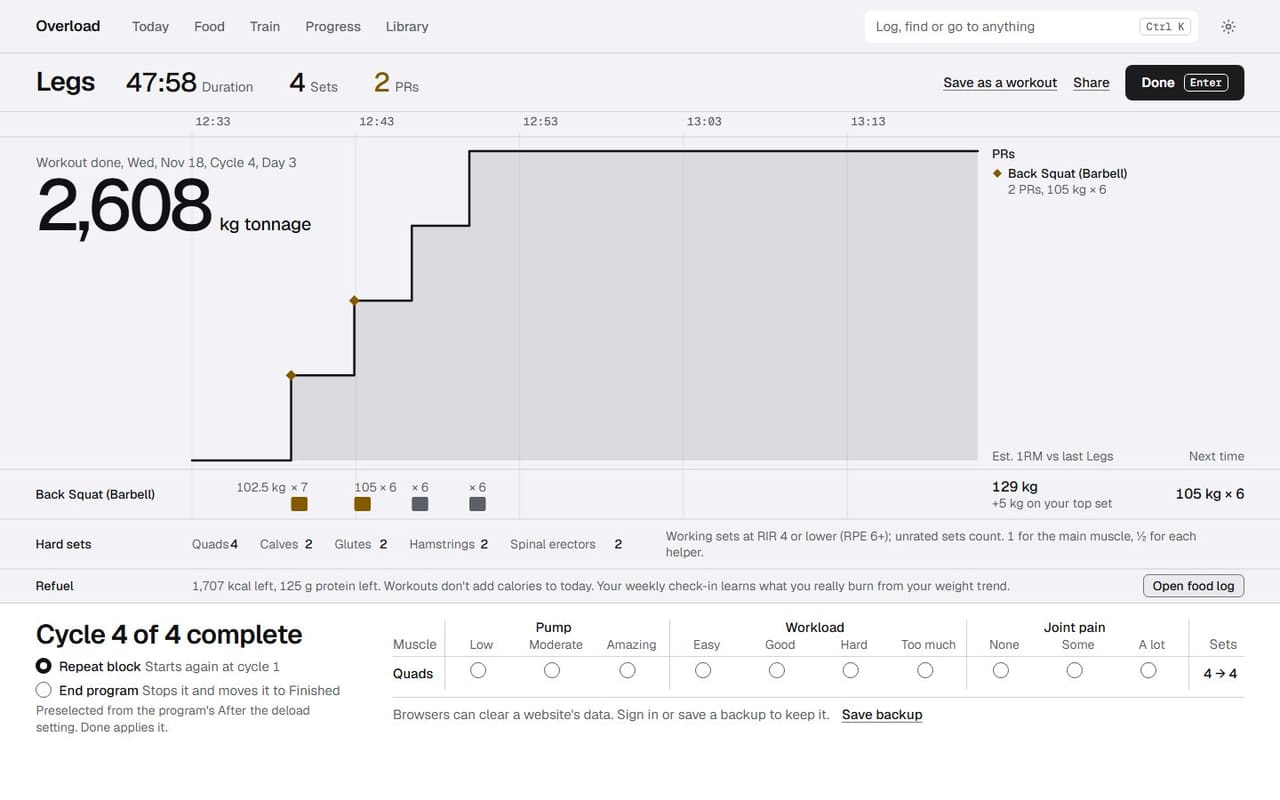
Step 05SummaryDuration, sets, tonnage and the records the workout set. 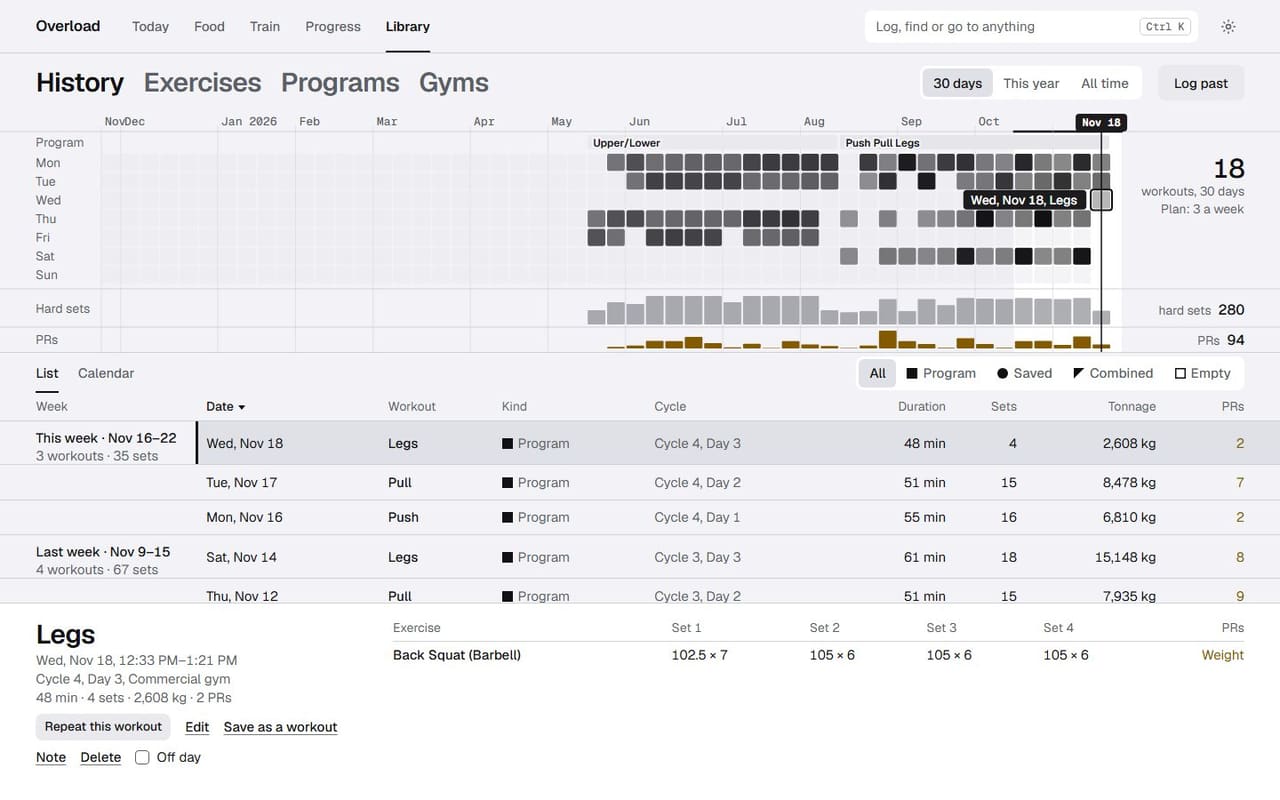
Step 06HistoryEvery workout of the last six months. 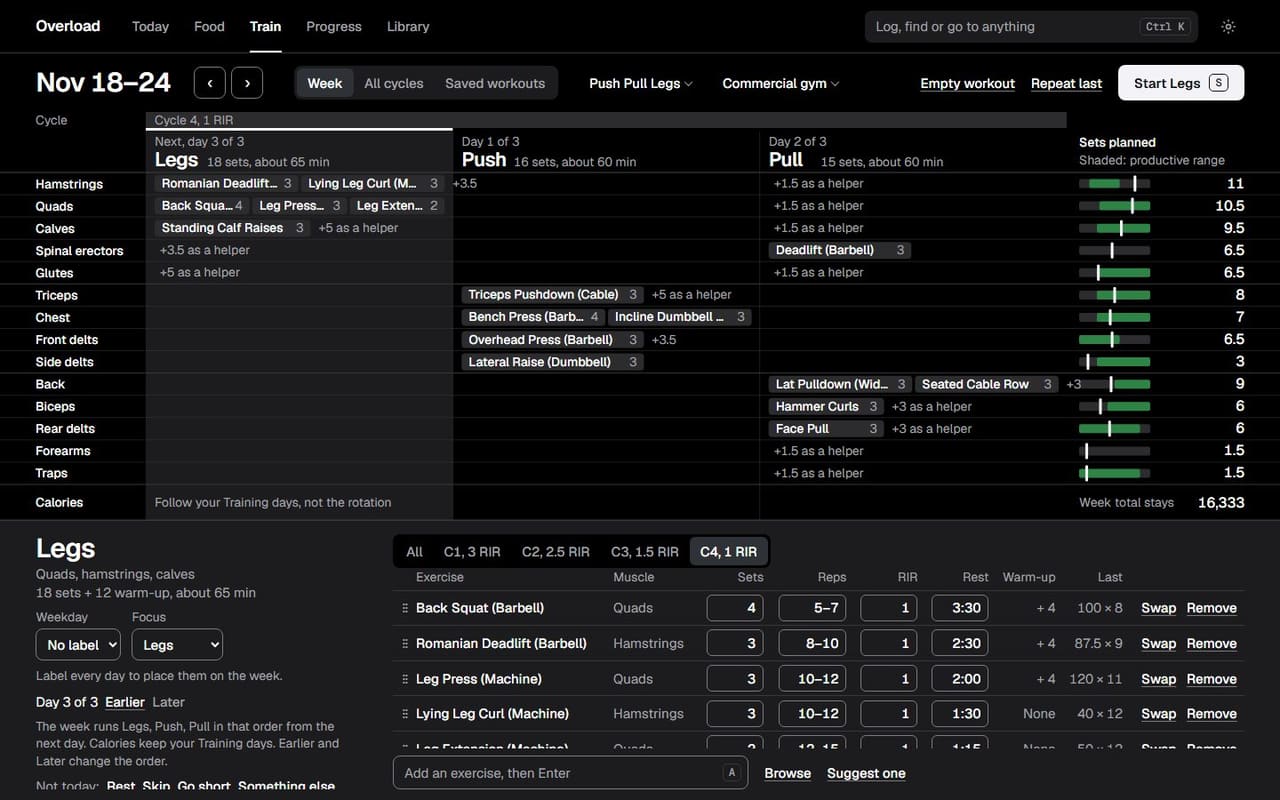
Step 07Train, darkThe same screen in the dark theme, which follows the system setting.
Log food
5 steps
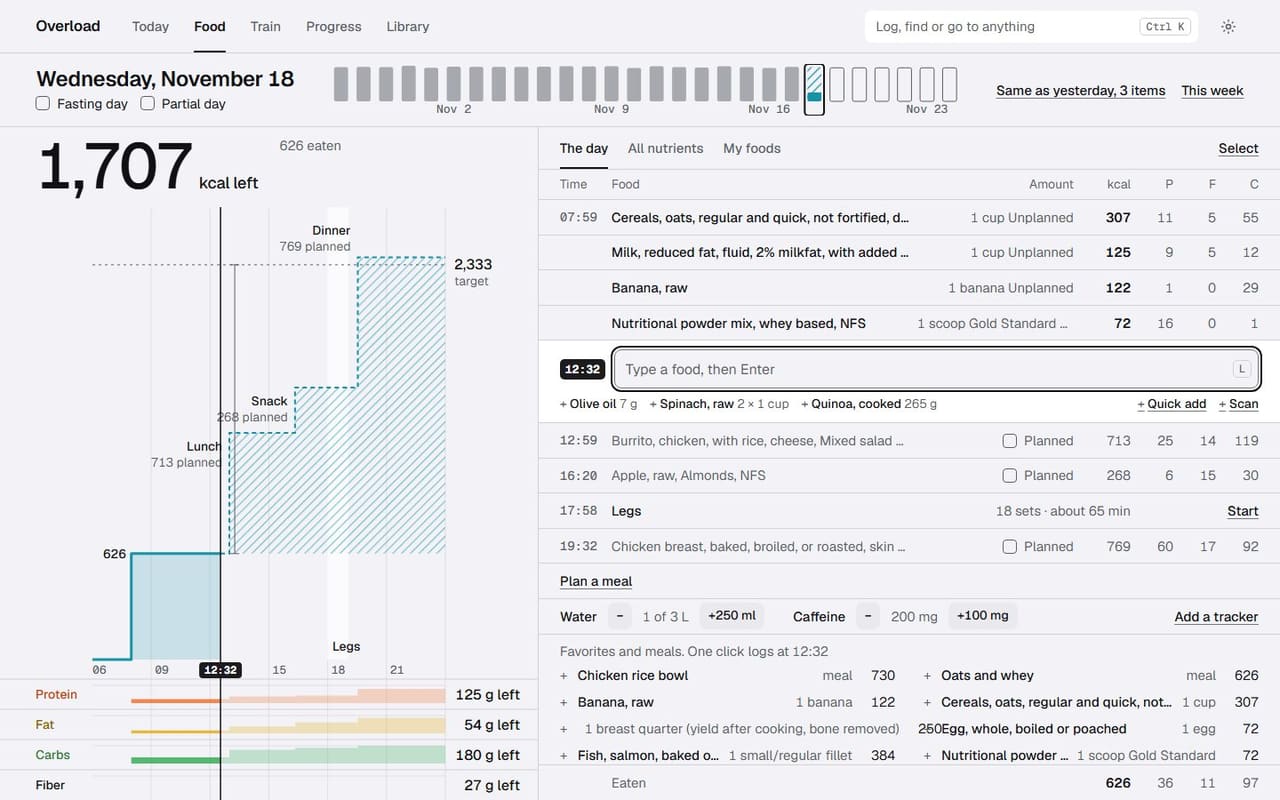
Step 01FoodThe day's meals against calorie and macro targets. 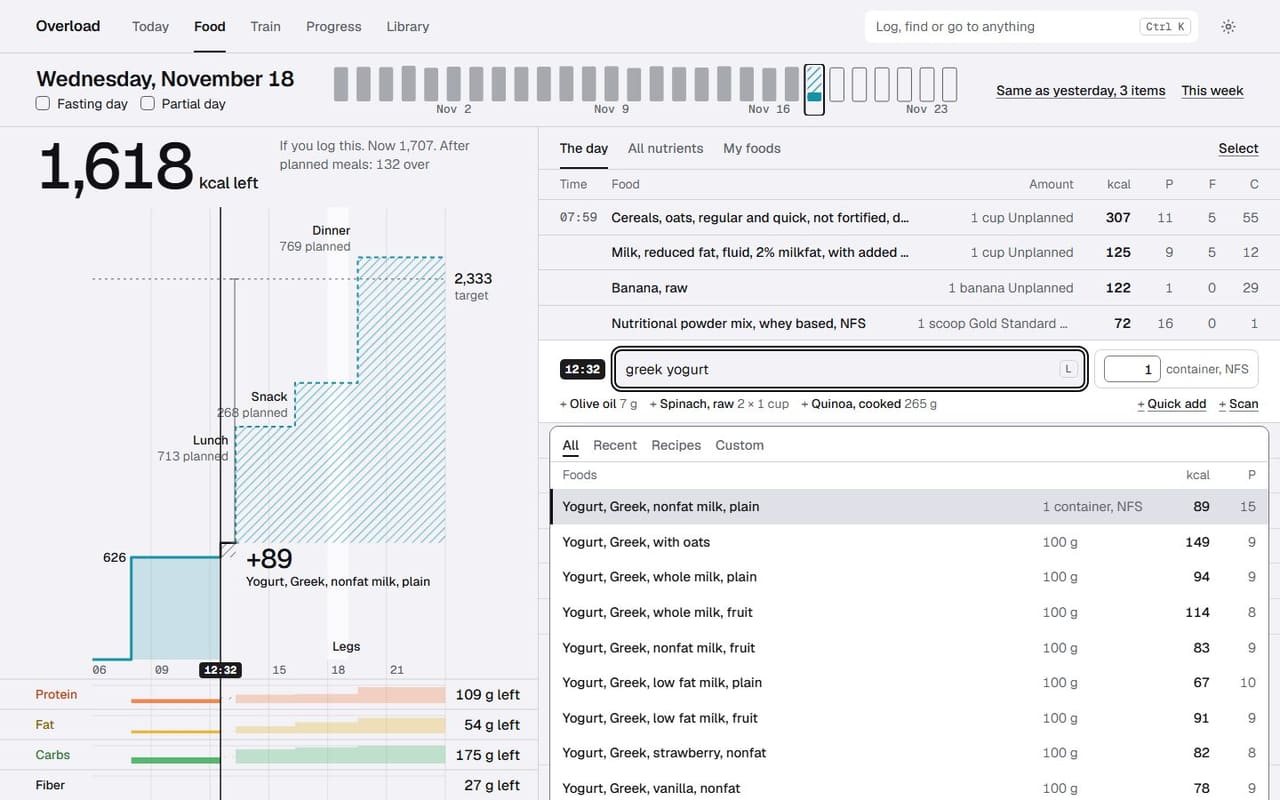
Step 02SearchType and the results open in place, with the day's chart still in view. 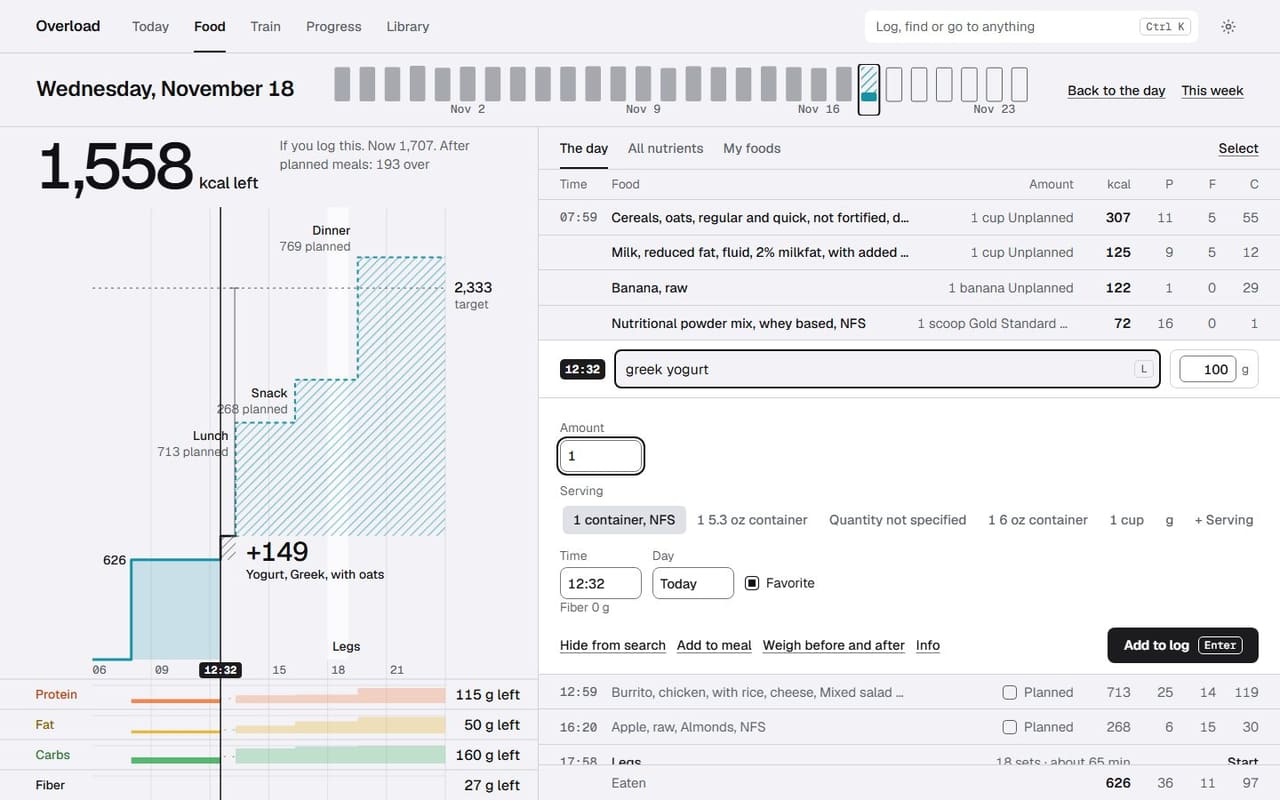
Step 03AmountSet the amount and time, then Enter logs it. 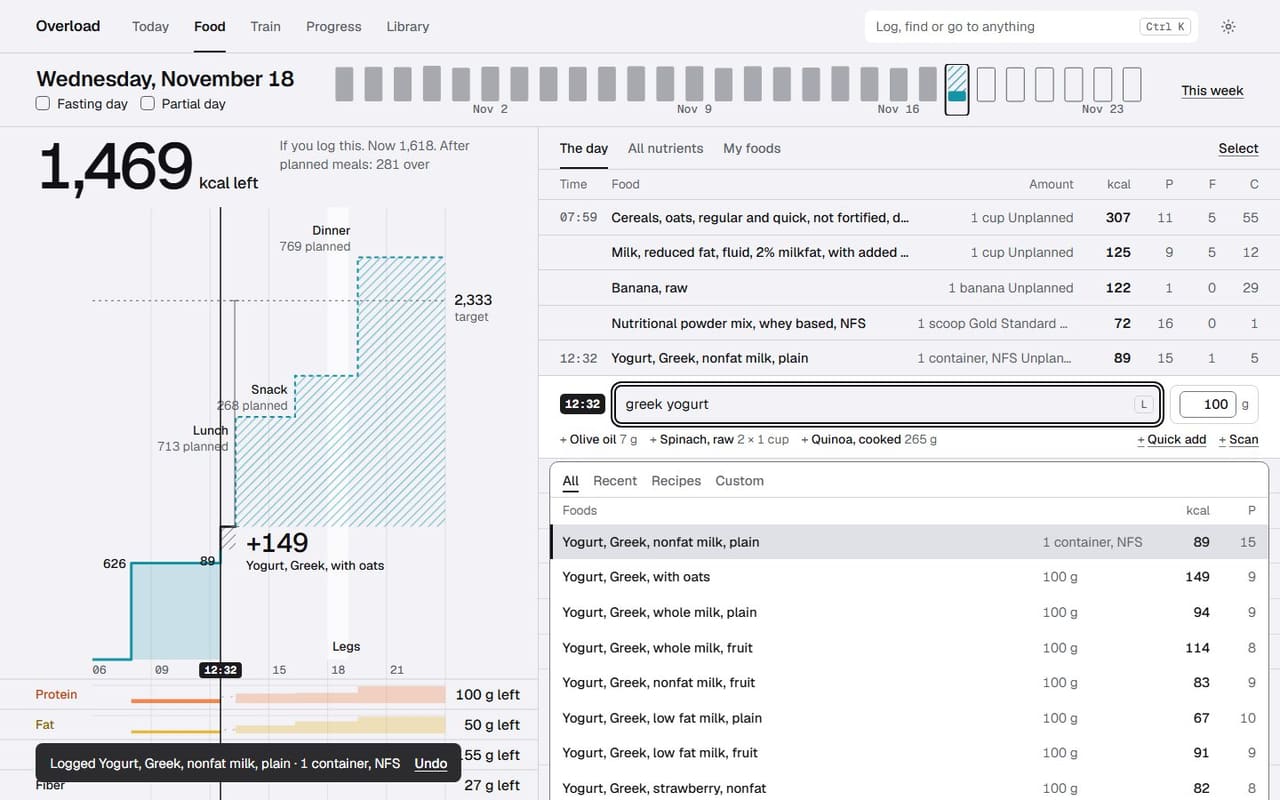
Step 04LoggedThe yogurt is logged at 12:32 (Undo in the corner); the search stays open, the chart previewing the next result. 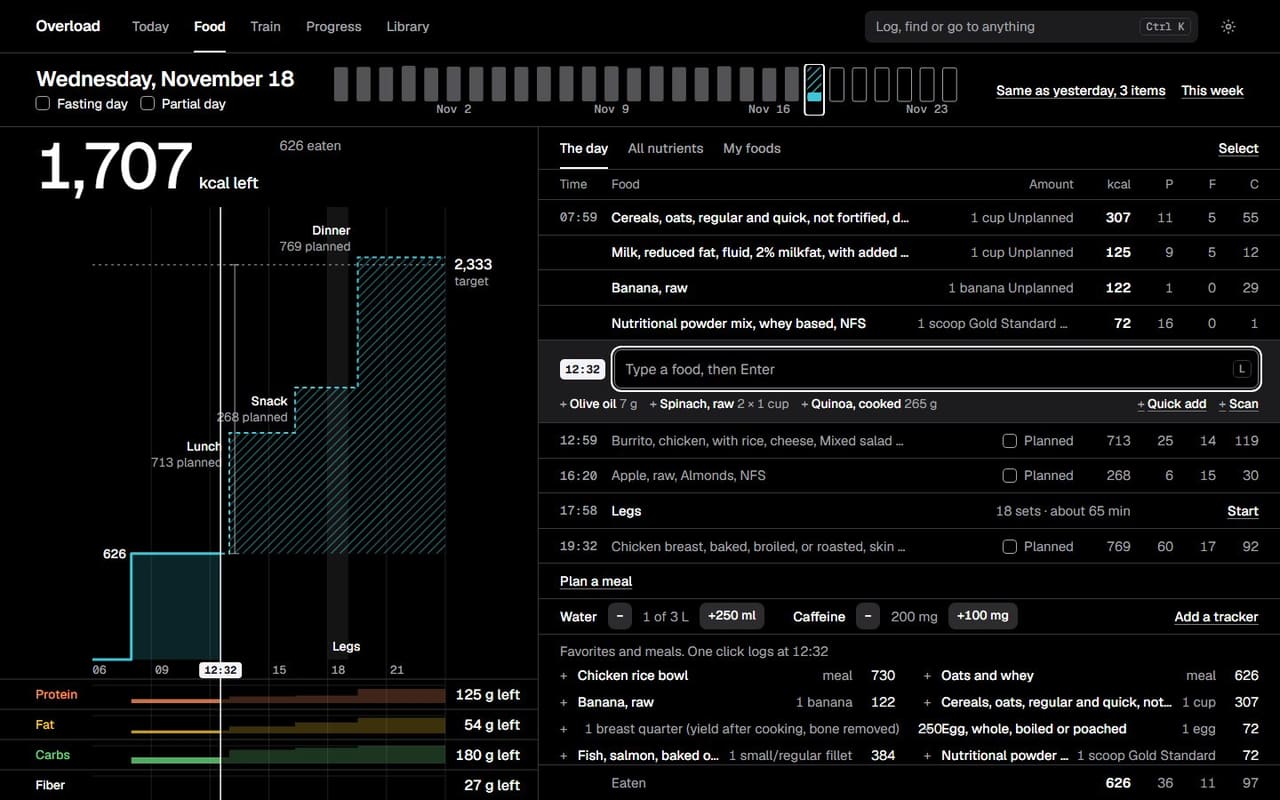
Step 05Food, darkThe same screen in the dark theme, which follows the system setting.
Progress
6 steps
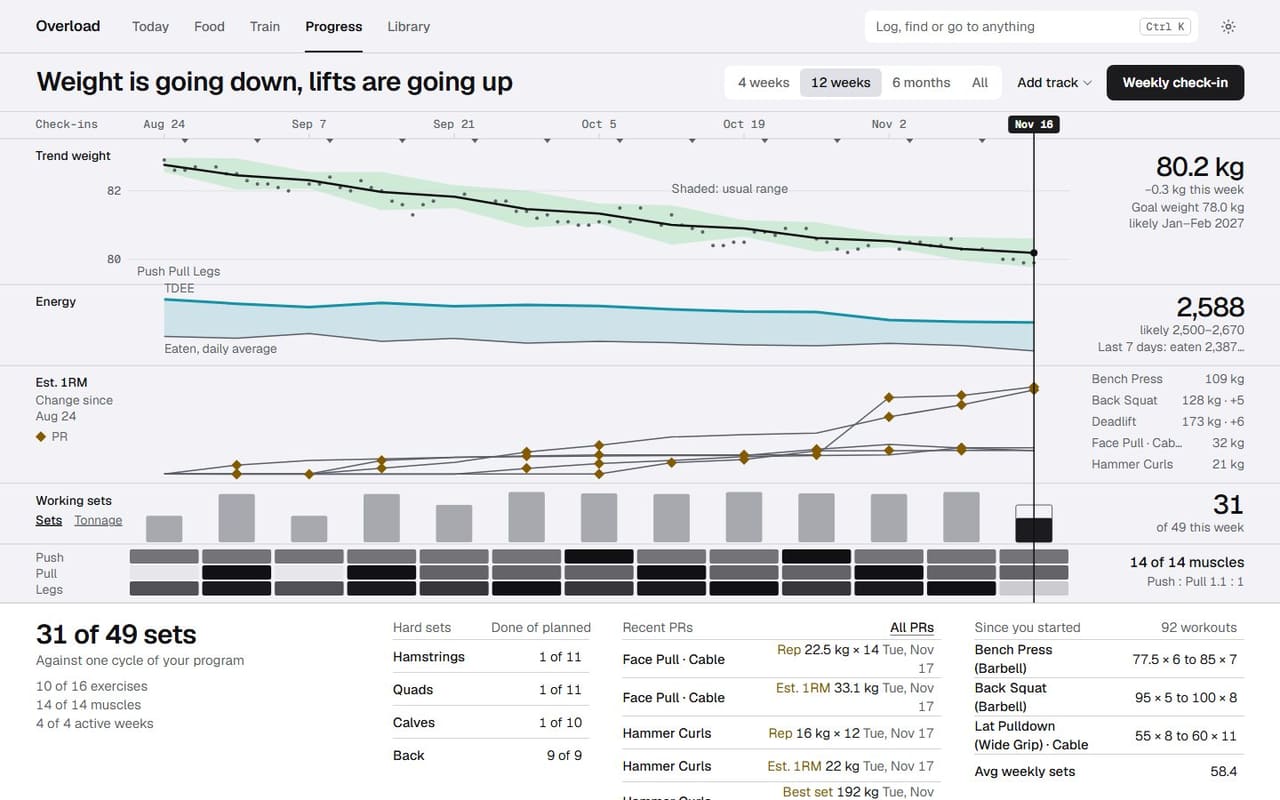
Step 01ProgressWeight, energy, strength and training volume on one timeline. 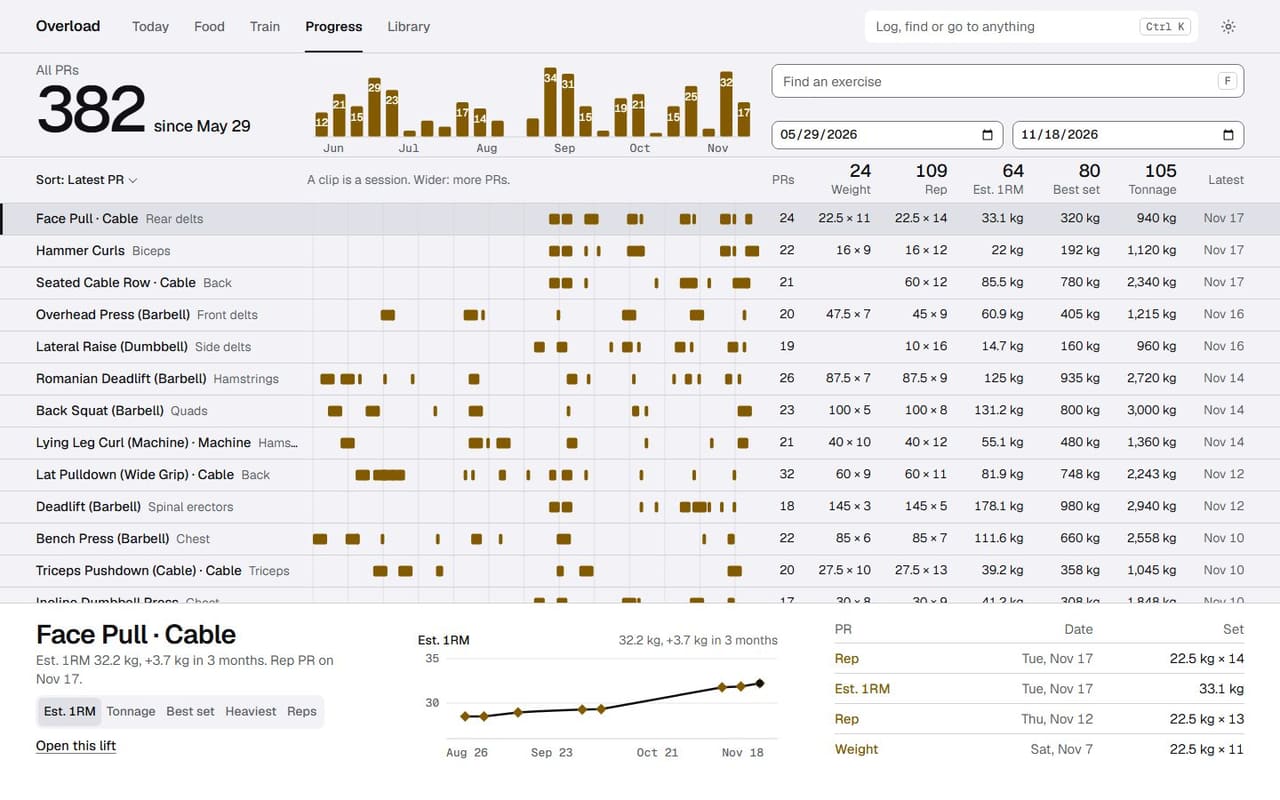
Step 02Personal recordsRep, weight, estimated-1RM and volume records, replayed from every logged set. 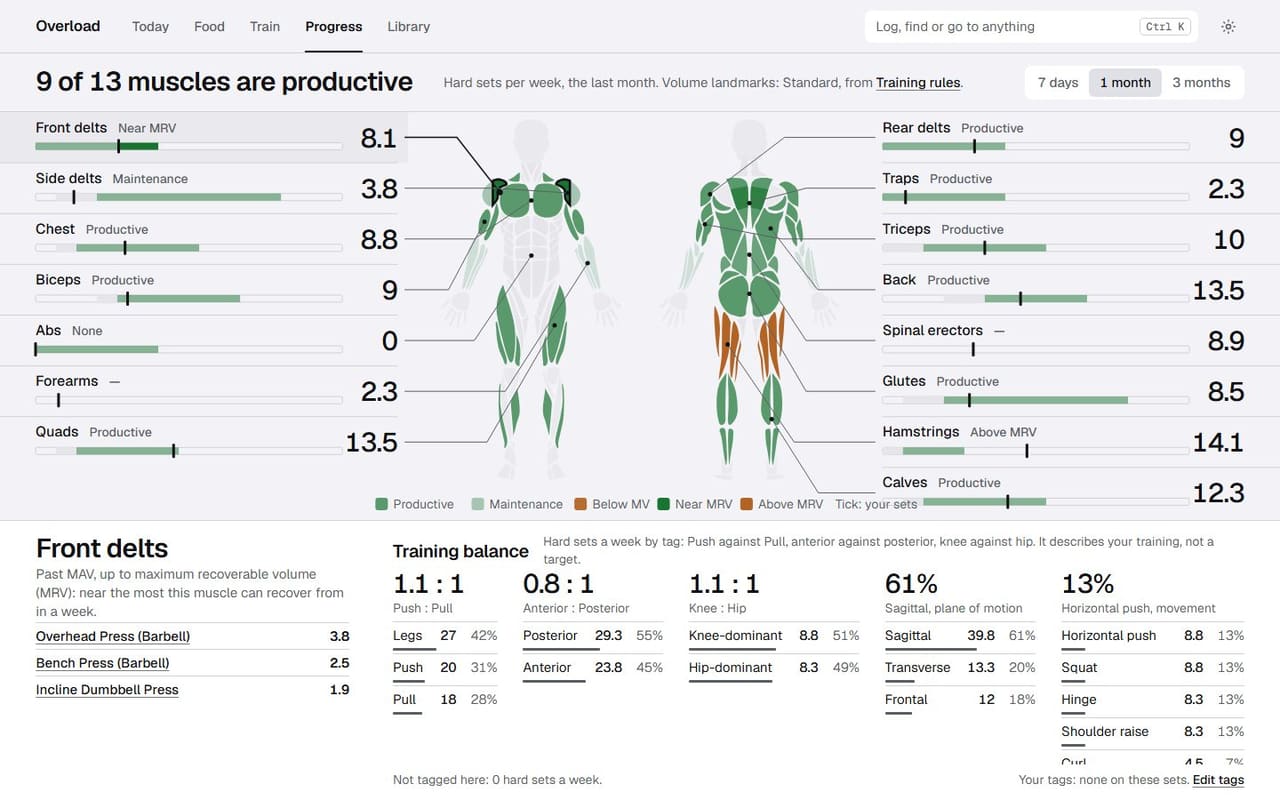
Step 03MusclesWeekly hard sets per muscle against productive volume ranges. 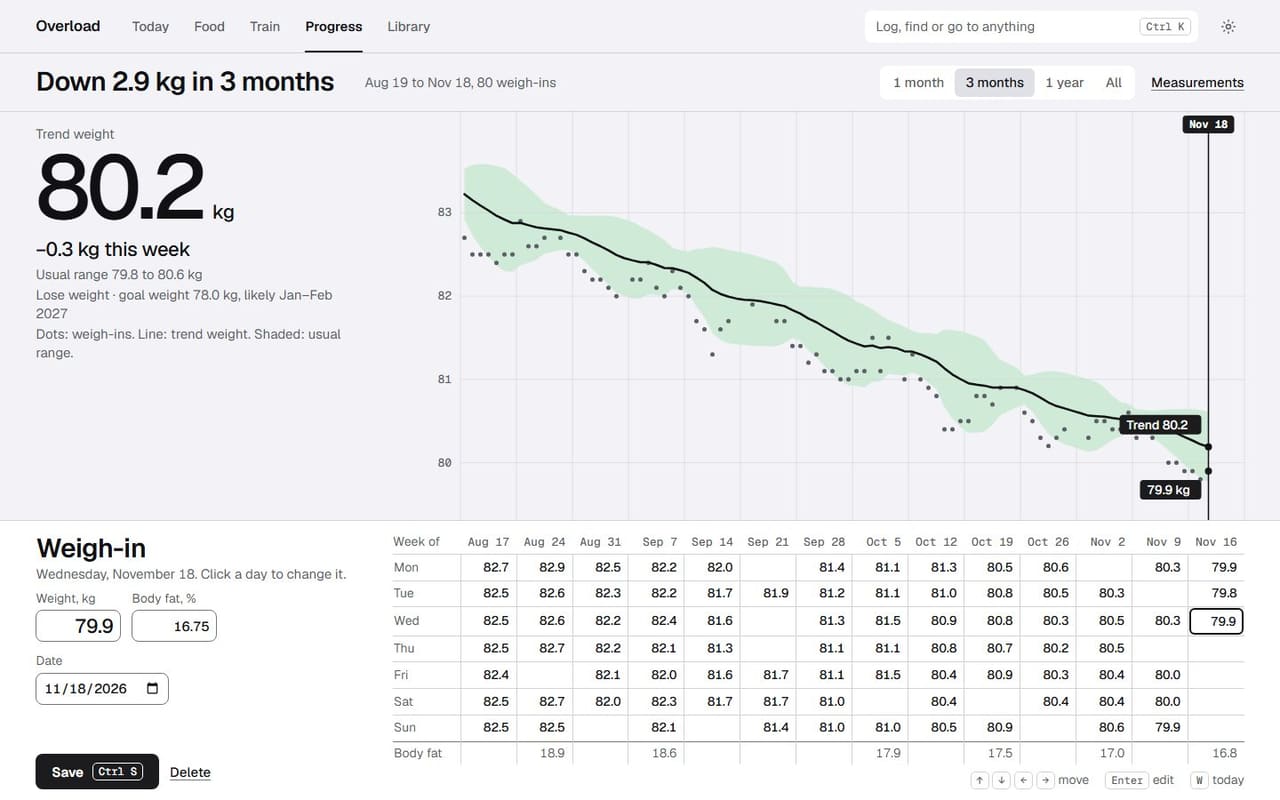
Step 04Weight trendWeigh-ins smoothed into a trend weight, with every reading in a table below. 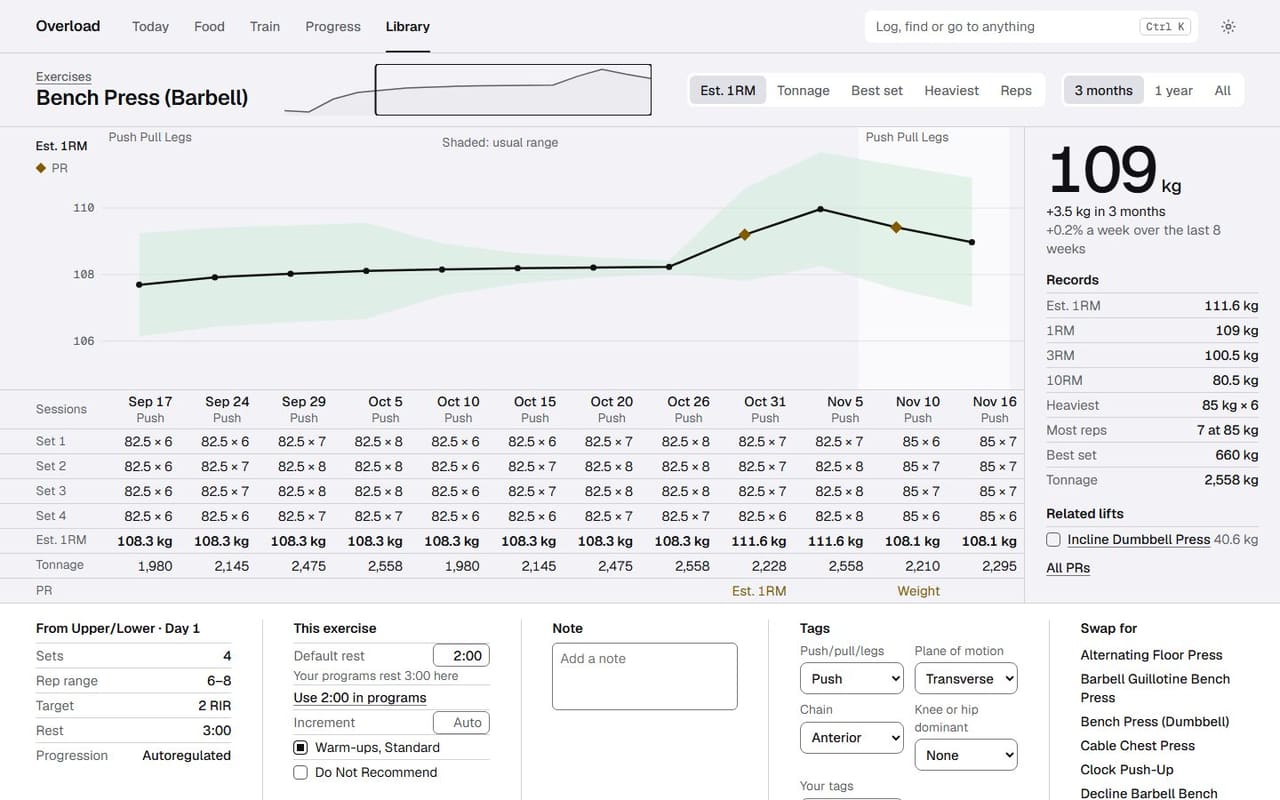
Step 05Bench pressOne lift's estimated 1RM, best sets and history. 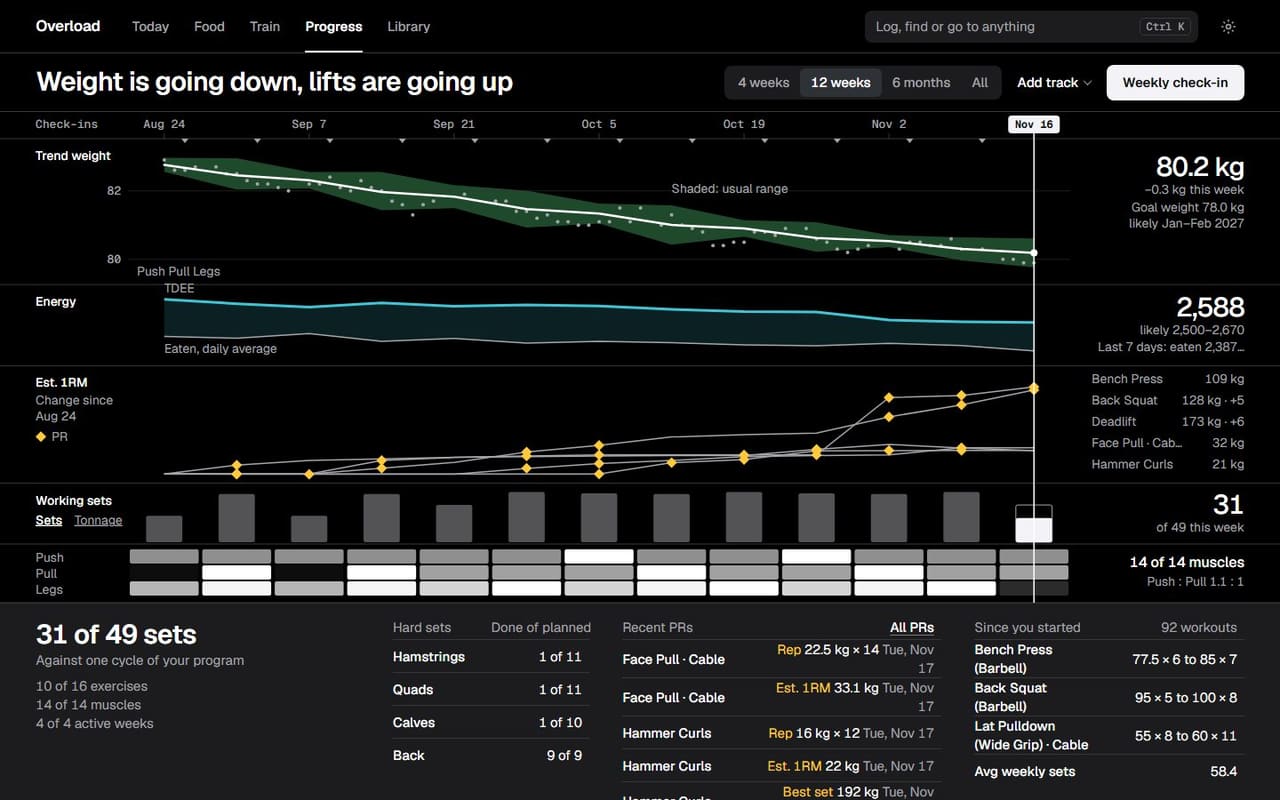
Step 06Progress, darkThe same screen in the dark theme, which follows the system setting.
Health
4 steps
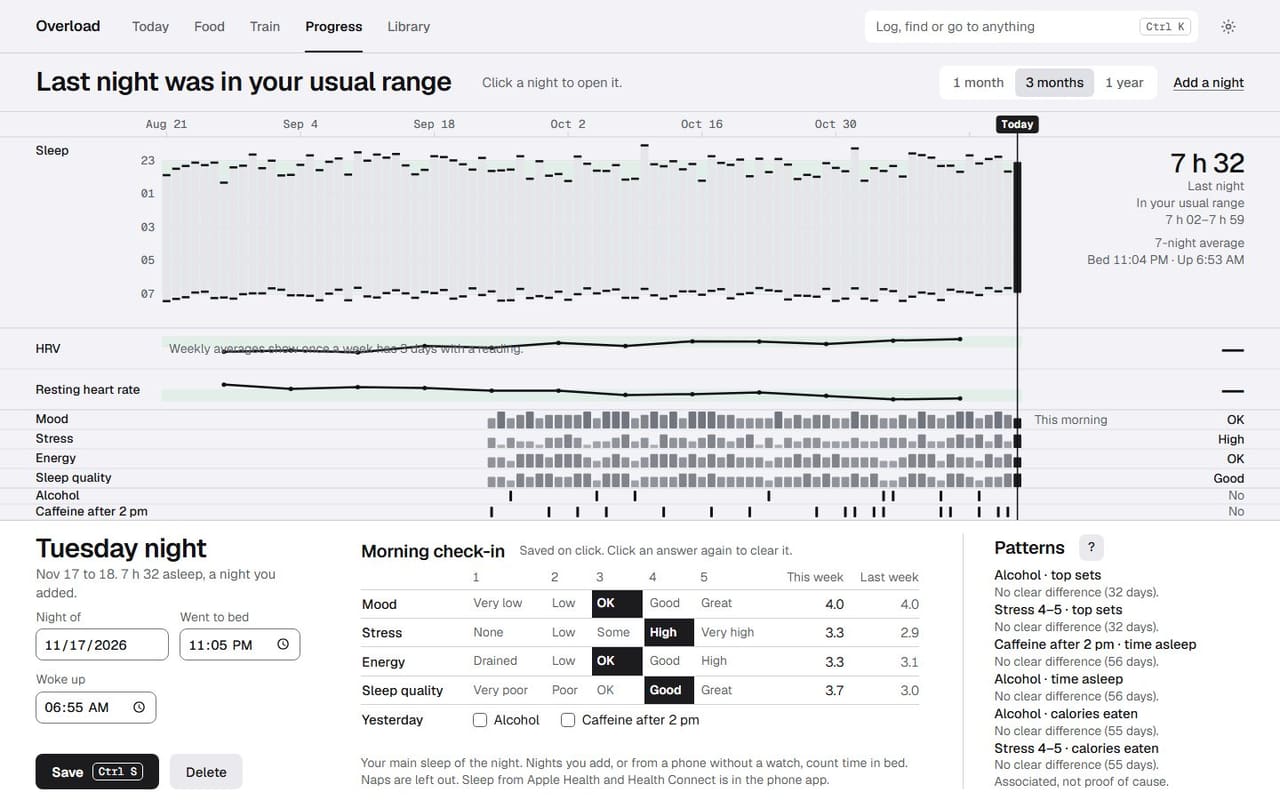
Step 01RecoverySleep, resting heart rate, HRV and the morning check-in, read together. 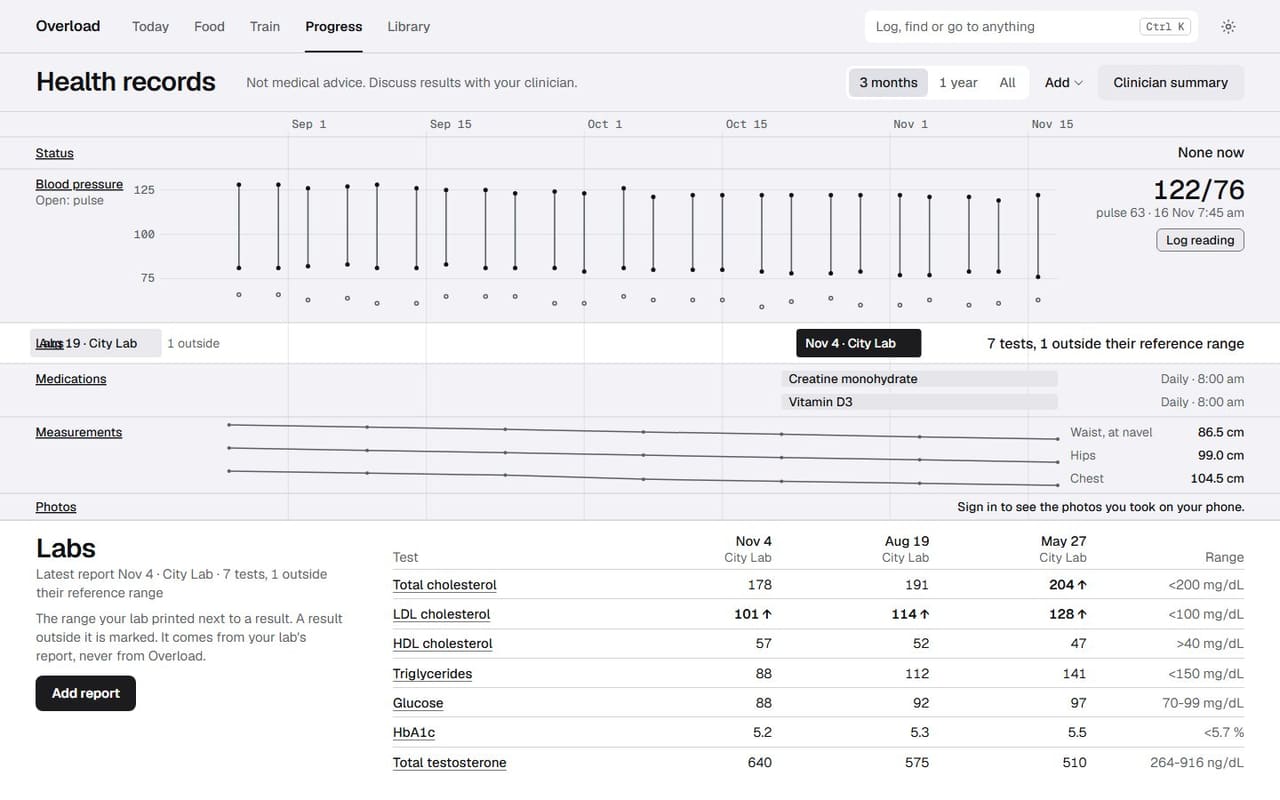
Step 02Lab resultsBlood tests over time against reference ranges, with a clinician summary. 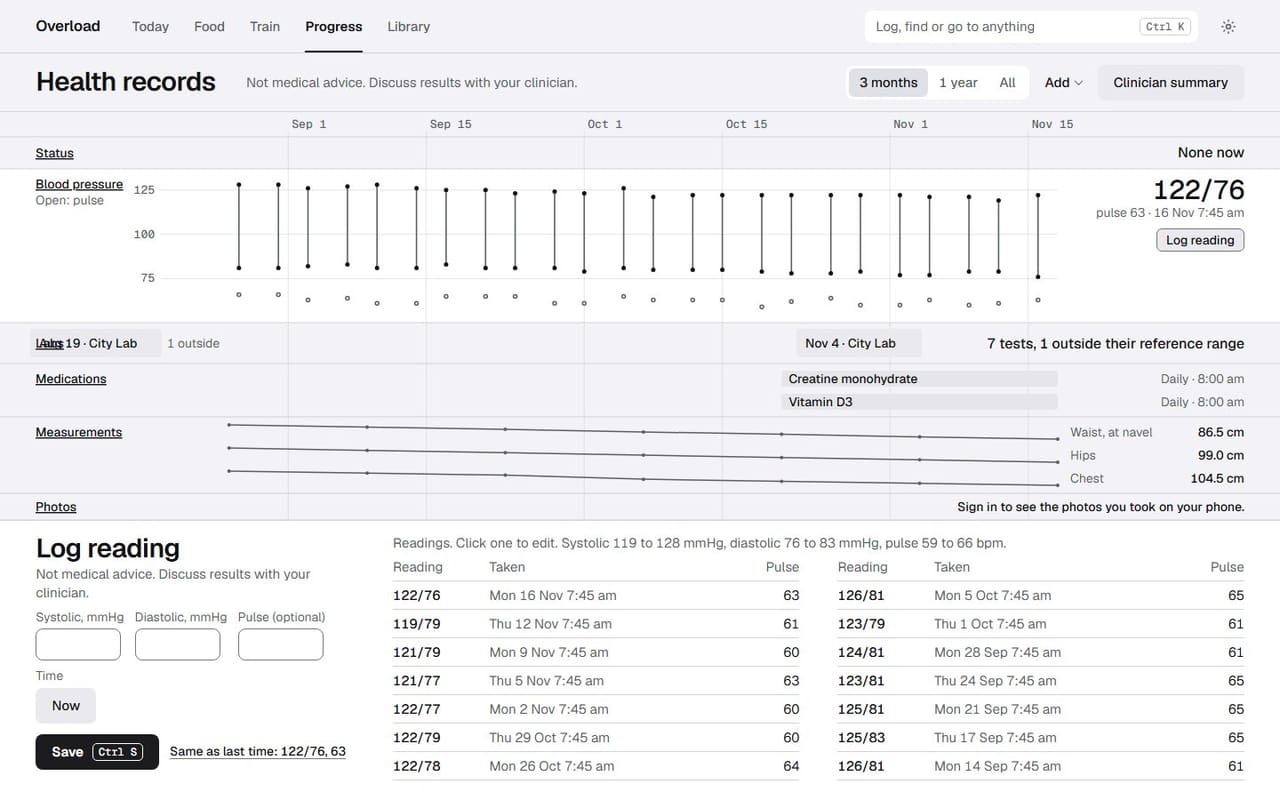
Step 03Blood pressureHealth records with the blood-pressure strip open: log a reading, with recent readings beside it. 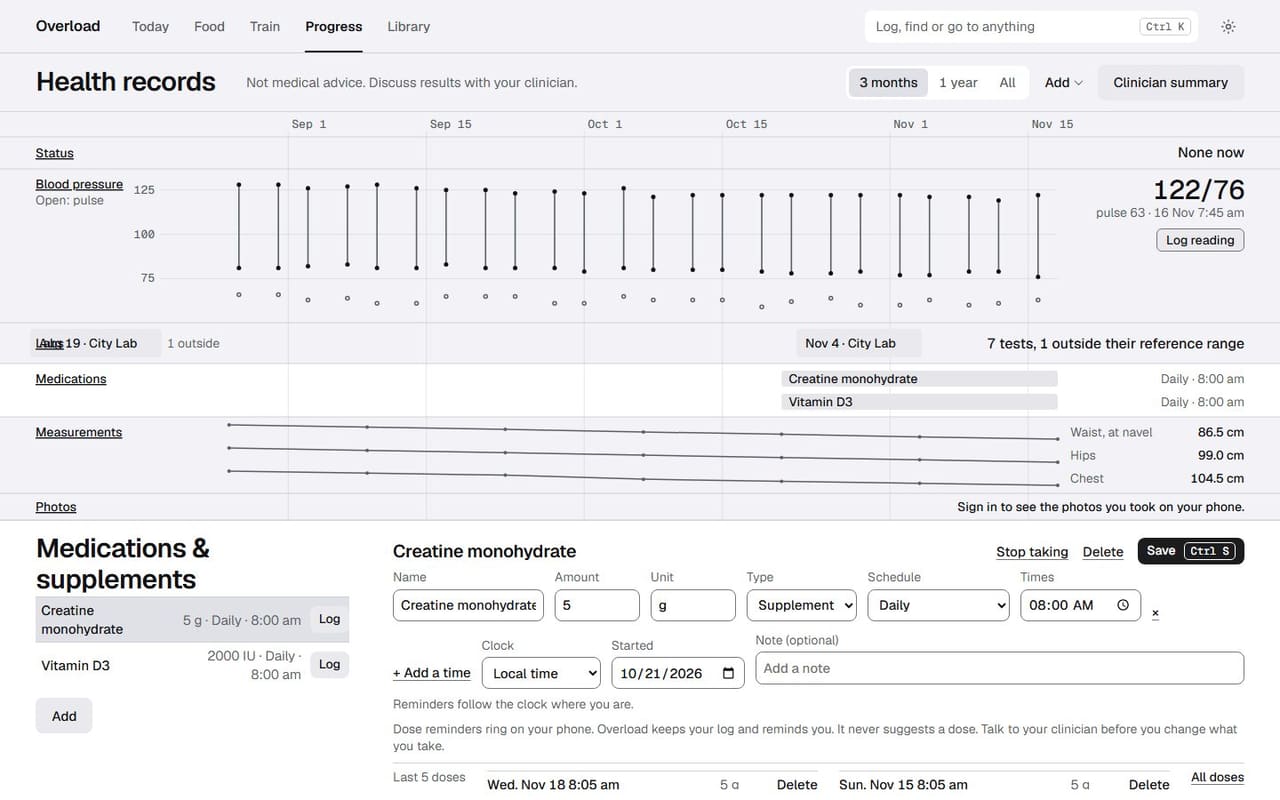
Step 04Medications and supplementsHealth records with the medications strip open: creatine and vitamin D on a daily schedule.
Settings
3 steps
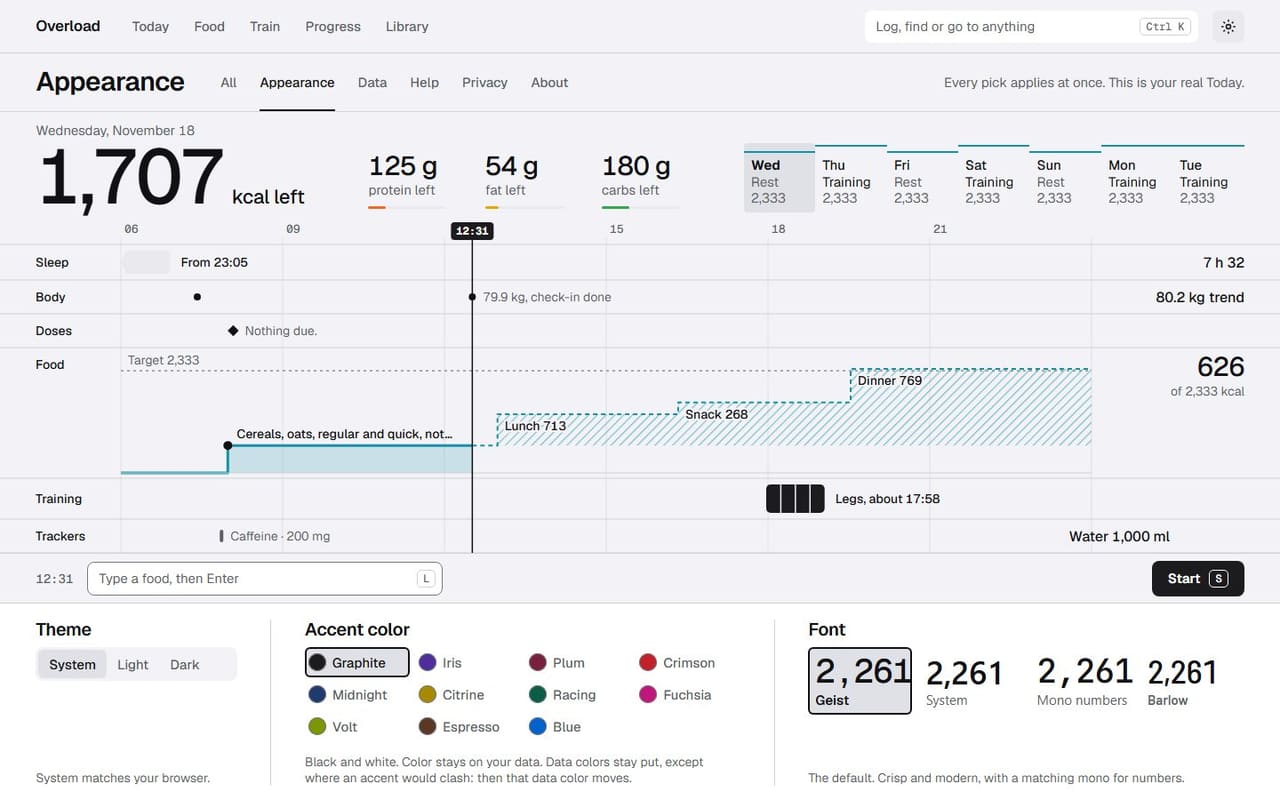
Step 01AppearanceTheme, accent colour and font. 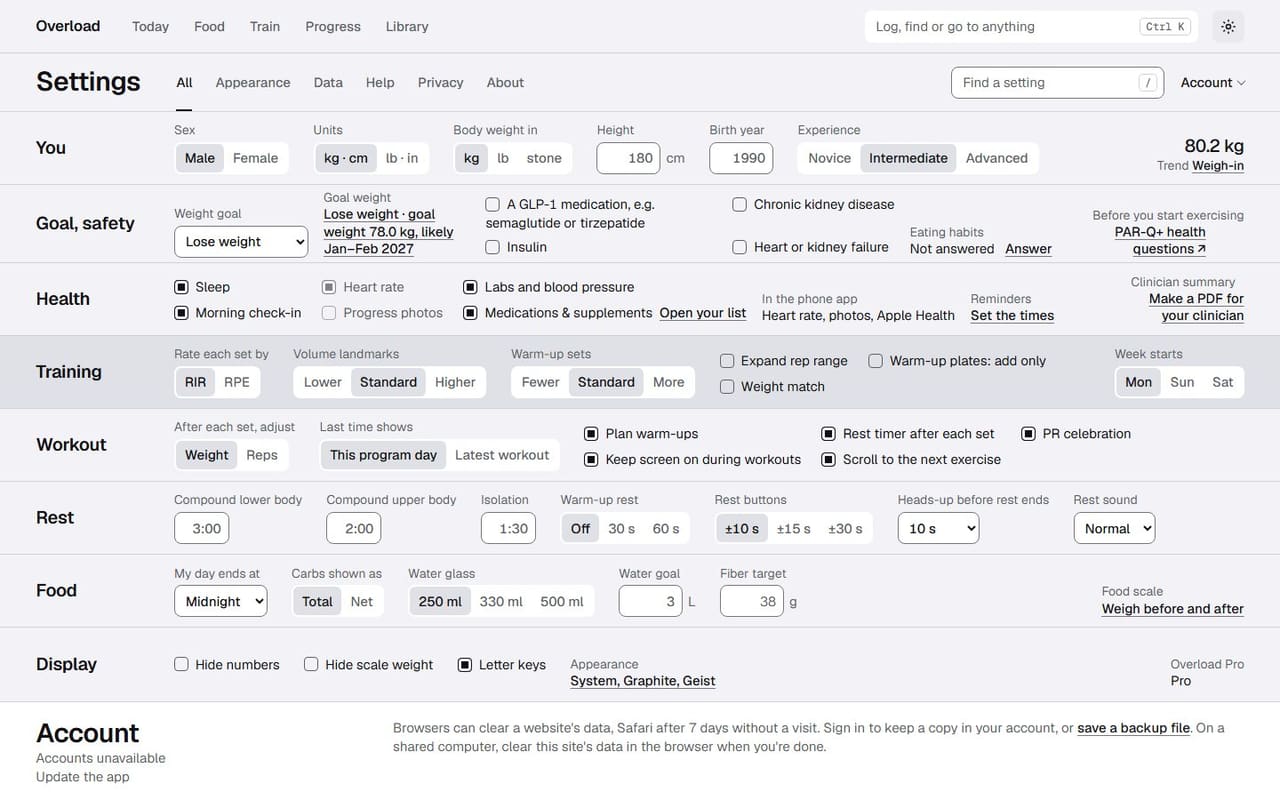
Step 02Training rulesProgression, rest timers, warm-ups and plate rounding. 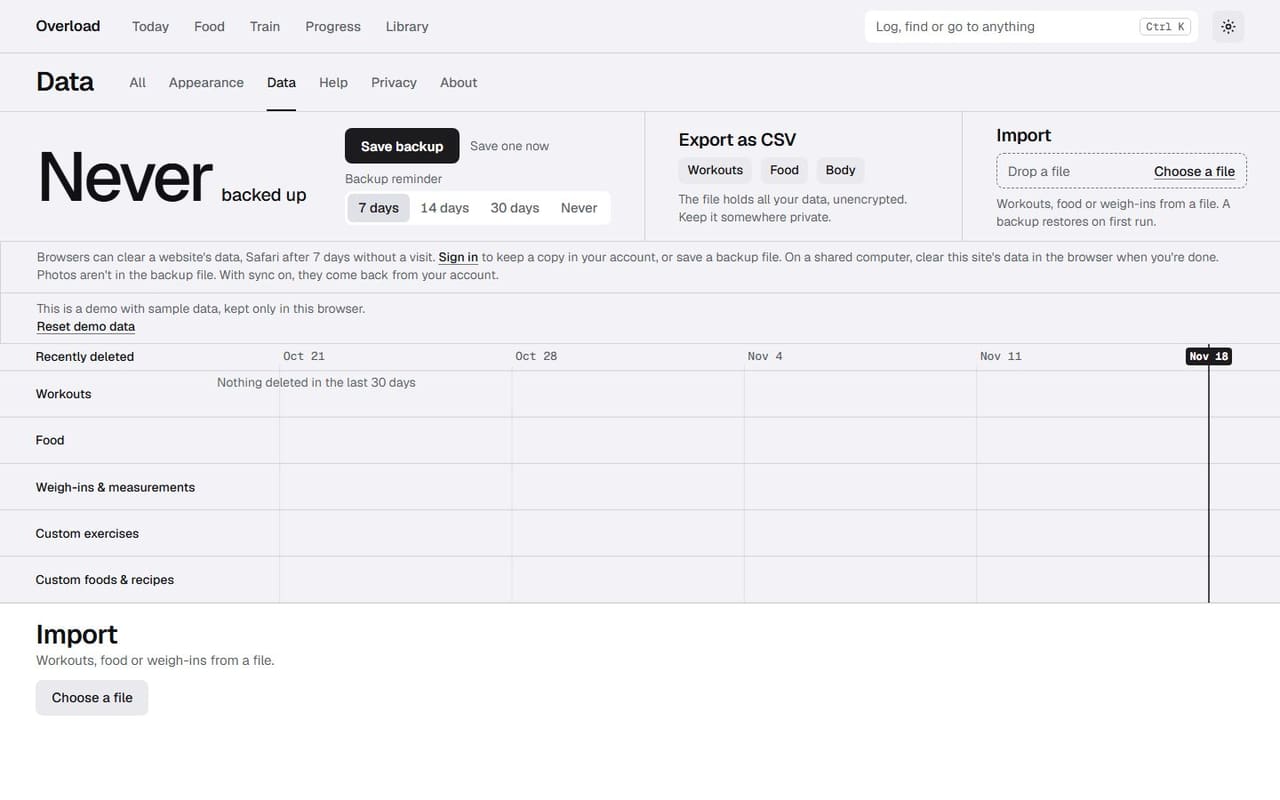
Step 03DataBackups, exports and import; in the demo, a reset back to the sample data.
02 — Design systemTokens from the app’s theme file
System
The tokens the app is built from, rendered here as CSS: the colours in light and dark, the eleven accents, the type scale, spacing and geometry, and a few rules from the desktop system.
Colour, light and dark
Up next
Pull
Back, rear delts, biceps · 12 sets
● Recovered: on time
- Calories
- Protein
- Fat
- Carbs
Up next
Pull
Back, rear delts, biceps · 12 sets
● Recovered: on time
- Calories
- Protein
- Fat
- Carbs
Surfaces and text
Pages sit on background, cards on surface. Rules, not boxes: one 1px separator.
- backgroundLight #F2F2F7Dark #000000
- surfaceLight #FFFFFFDark #1C1C1E
- backgroundElementLight #E9E9EEDark #2C2C2F
- separatorLight #D1D1D6Dark #38383A
- textLight #111113Dark #FFFFFF
- textSecondaryLight #5B5F67Dark #A5A5AC
Accent (Graphite)
Black and white by default, so colour stays on the data.
- accentLight #1C1C1EDark #FFFFFF
- fillLight #1C1C1EDark #F2F2F7
- softLight #E5E5EADark #3A3A3C
Status
Text tokens clear 4.5:1 on background and surface in both modes. Never the only signal.
- infoLight #0062CCDark #409CFF
- successLight #1A7431Dark #30DB5B
- warningLight #A84B00Dark #FFB340
- dangerLight #C4202ADark #FF6961
- prLight #835A00Dark #FFC93C
Macros
Fills for bars and rings. In light mode each has a darker text token for labels (cal #0B7285, pro #C2410C, fat #8A6500, carb #2B7A2F).
- calFLight #1592A6Dark #3FC5D6
- proFLight #F26A21Dark #FF8F5A
- fatFLight #E6A700Dark #F2C230
- carbFLight #2FA84FDark #6AD47A
Eleven accents
One setting recolours buttons, toggles and highlights. Each accent is a fill and the text on it, tuned per mode so the text clears 4.5:1; where an accent would clash with a macro colour, that macro moves.
- Graphite#1C1C1E · #F2F2F7Black and white. Color stays on your data.
- Iris#4E2E9E · #6D4FD5Deep violet.
- Plum#7A1F3D · #B03E66Wine red: warm and rich.
- Crimson#C4202A · #C7242CBold red: high energy.
- Midnight#1E3A6E · #3E67AEDeep navy: quiet and serious.
- Citrine#A98903 · #FFD60AYellow buttons with black text. Fat turns rose so it never blends in.
- Racing#0B5D45 · #187A58Deep green. Carbs turn violet and checks black, so green means one thing.
- Fuchsia#C0157A · #D42A8CHot magenta.
- Volt#7C9604 · #D4FF3ANeon yellow-green with black. Fat turns rose, carbs violet.
- Espresso#5A3825 · #E8CBB0Dark brown with cream. Nothing clashes, so data colors stay.
- Blue#0062CC · #1F6FE5Classic blue.
Type
The desktop Studio scale, in pixels at 1440, set here in Geist, the app’s default face. Numbers are tabular everywhere.
Hero76–120
880
Clock64–120
2:14
Page title30
Weight trend
Day head24
Saturday, October 31
Day in a picture22
Mon 9
Sheet and side names20
Bent-Over Row (Barbell)
Body15 · 16 from 1800 · 17 from 2300
Back, rear delts, biceps · 12 sets · about 55 min
Small and table heads14
Planned: 200 over
Tick13, Geist Mono
06 09 12 15 18 21
The font setting
- GeistGeist + Geist MonoThe default. Crisp and modern, with a matching mono for numbers.
- SystemSF Pro / RobotoNative on each phone, nothing to download.
- Mono numbersSystem text + JetBrains Mono numbersNumbers line up like a spreadsheet.
- BarlowBarlow + Barlow Semi CondensedNarrow numbers that read like a scoreboard.
Spacing
- half · 2
- one · 4
- two · 8
- three · 16
- four · 24
- five · 32
- six · 64
Geometry
- Row · 52
- Row with a sub line · 64
- Switch row · 60
- Button · 50
- Card radius · 16
- Phone page title · 34
- Page gap · 14
Rules of the desktop system
Every screen is one window. Tables and tall lists scroll inside themselves, never the page.
Rules, not boxes: 1px separators, and weight, not colour, marks a heading. Numbers are tabular everywhere.
Each page is a picture of the day or week. Click a thing in it and it opens in a strip below, at a fixed height so the picture never jumps. Esc closes it; there is never a stack.
The phone’s sheets are gone. A form lives in place first: a table cell, then the entry row, then the strip.
One primary button per screen. When the strip holds a draft, its Save becomes the primary and the rest go quiet.
Anything Undo can reach happens at once, with a toast. Only real loss asks, inline at the top of the strip, with no modal.
Every hover, drag and right-click has a visible twin: a button, a row control or a key.
A page draws its frame before its first read. No skeletons.
03 — Design mockups11 native · 6 desktop
Mockups
Design mockups (native iOS/Android)
Design boards for the native app at 390px, in light and dark. Each shows the top of the screen.
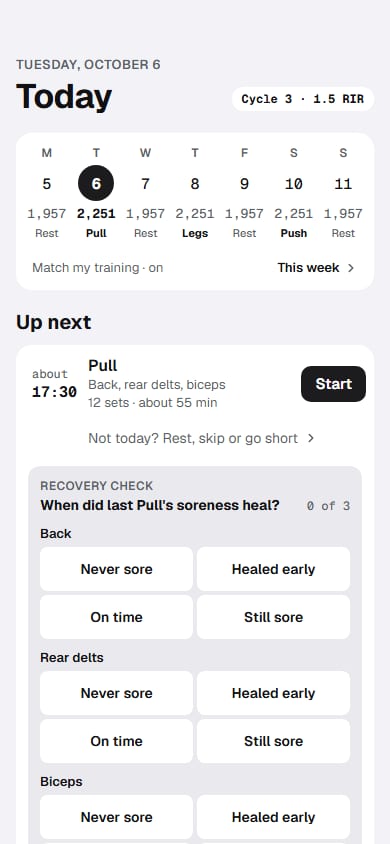
TodayLight 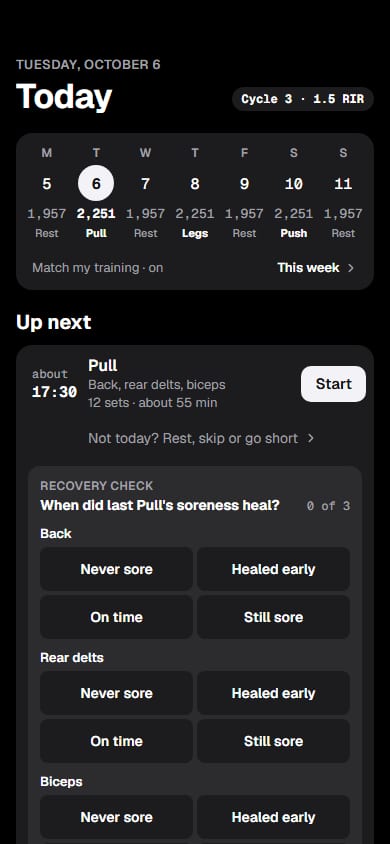
Today, darkDark 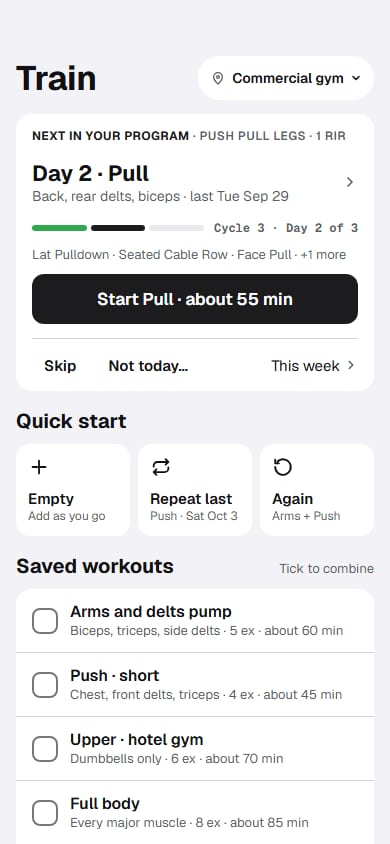
TrainLight 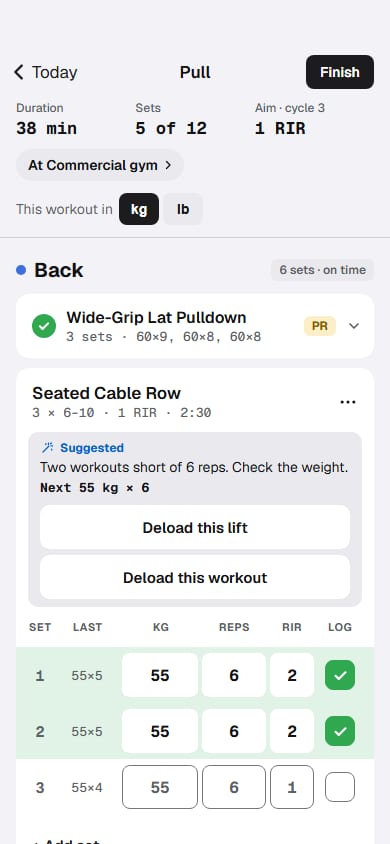
WorkoutLight 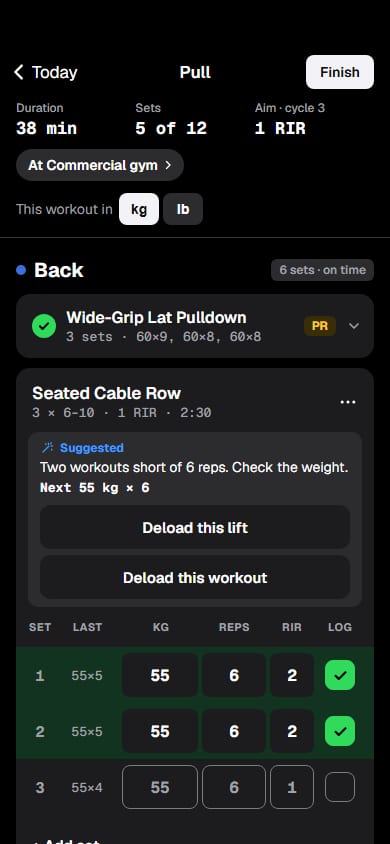
Workout, darkDark 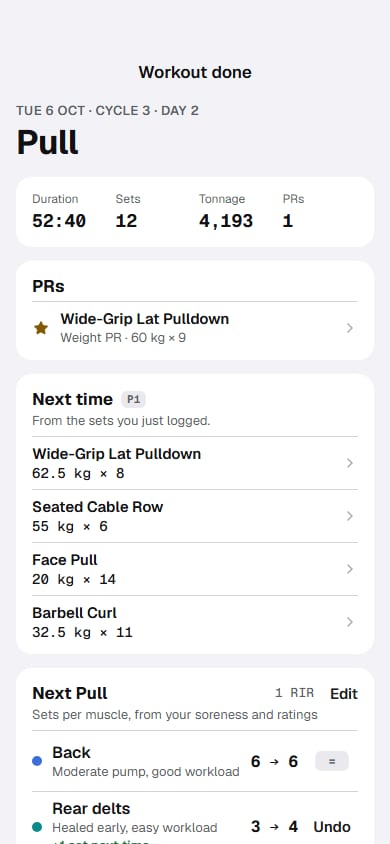
Workout doneLight 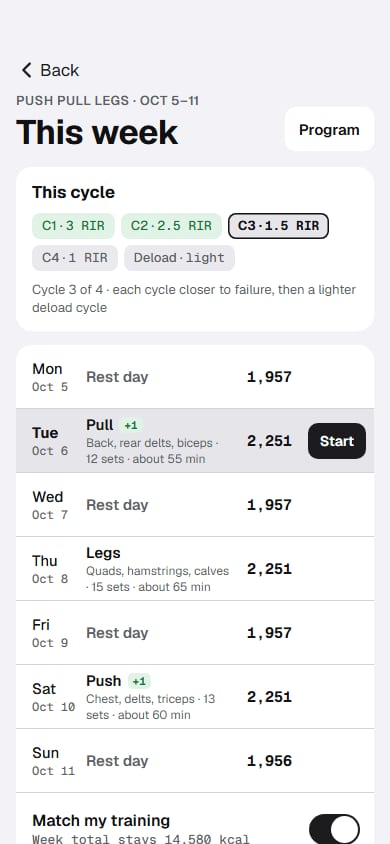
This weekLight 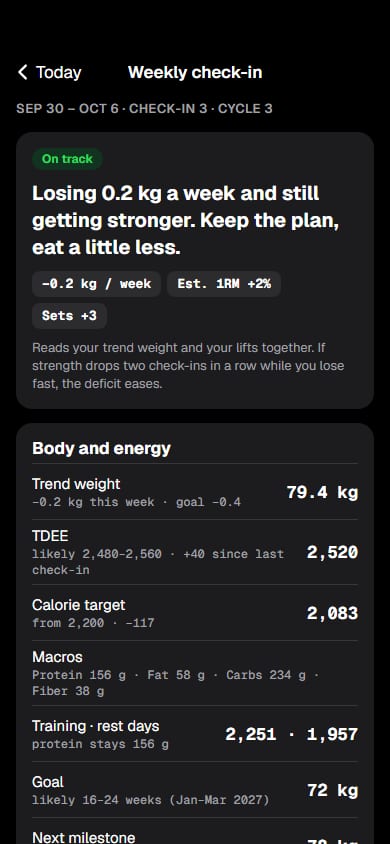
Weekly check-in, darkDark 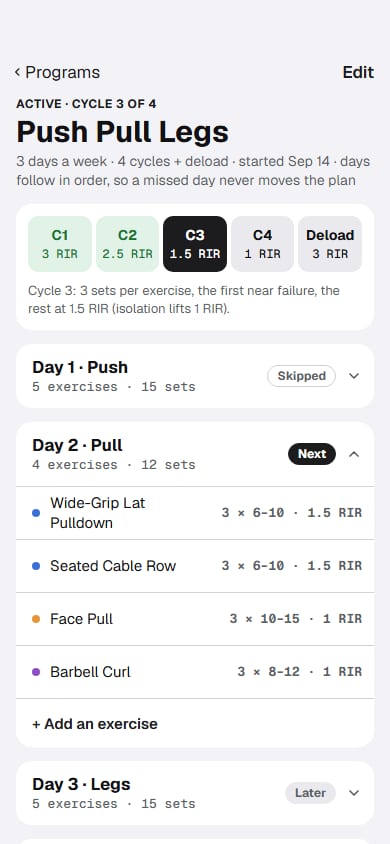
ProgramLight 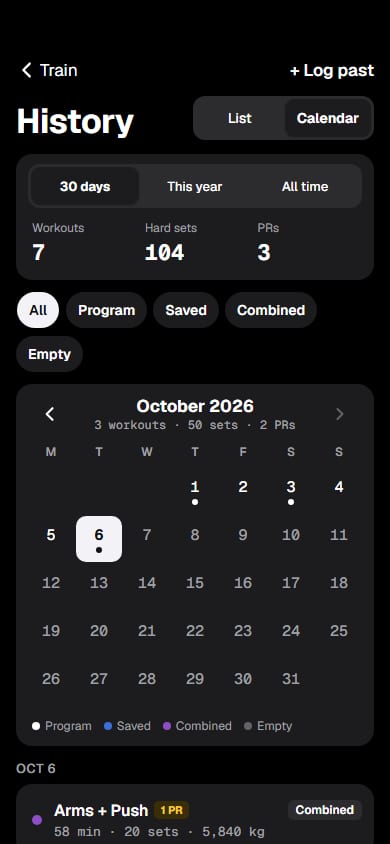
History, darkDark 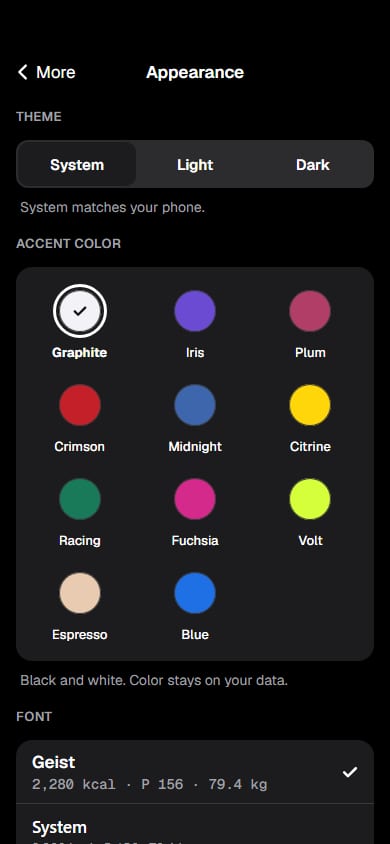
Appearance, darkDark
Desktop design renders
Renders of the desktop “Studio” system at 1440px, the boards the desktop web layout was built from.
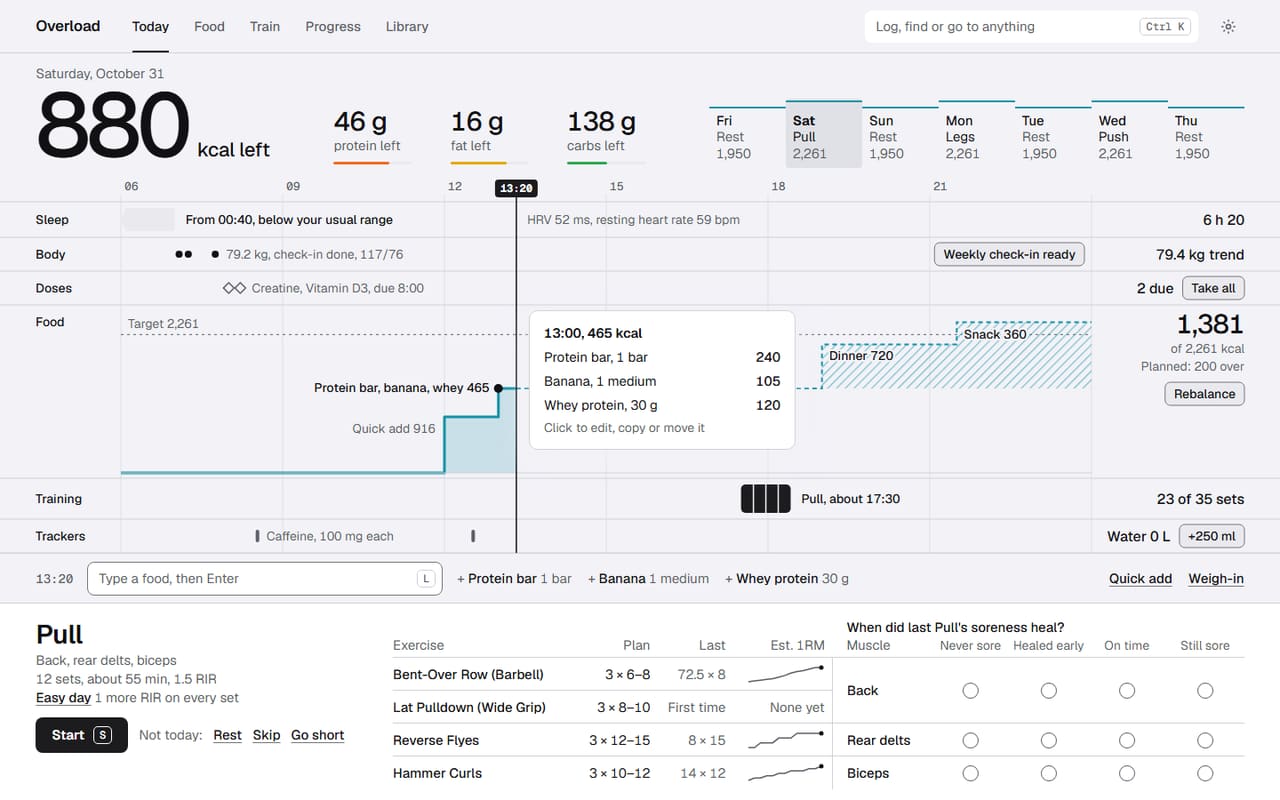
TodayLight · 1440 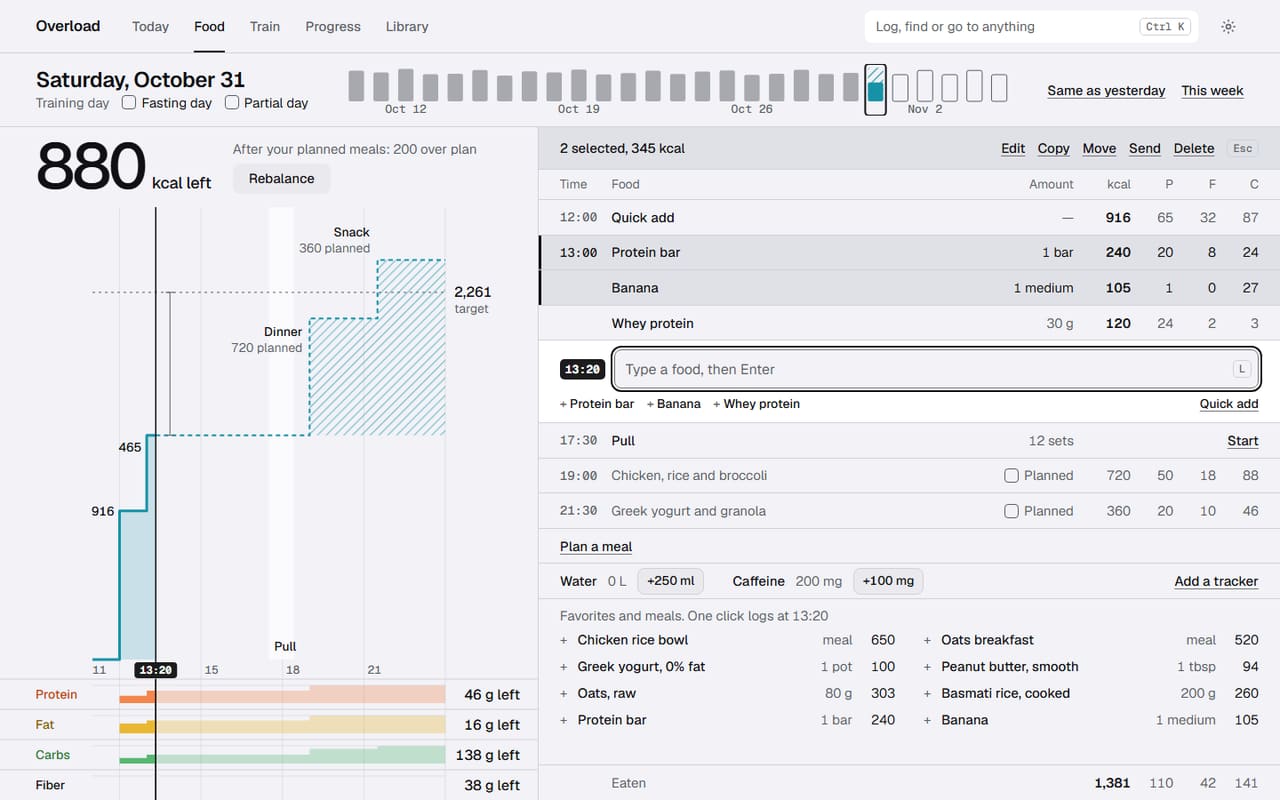
FoodLight · 1440 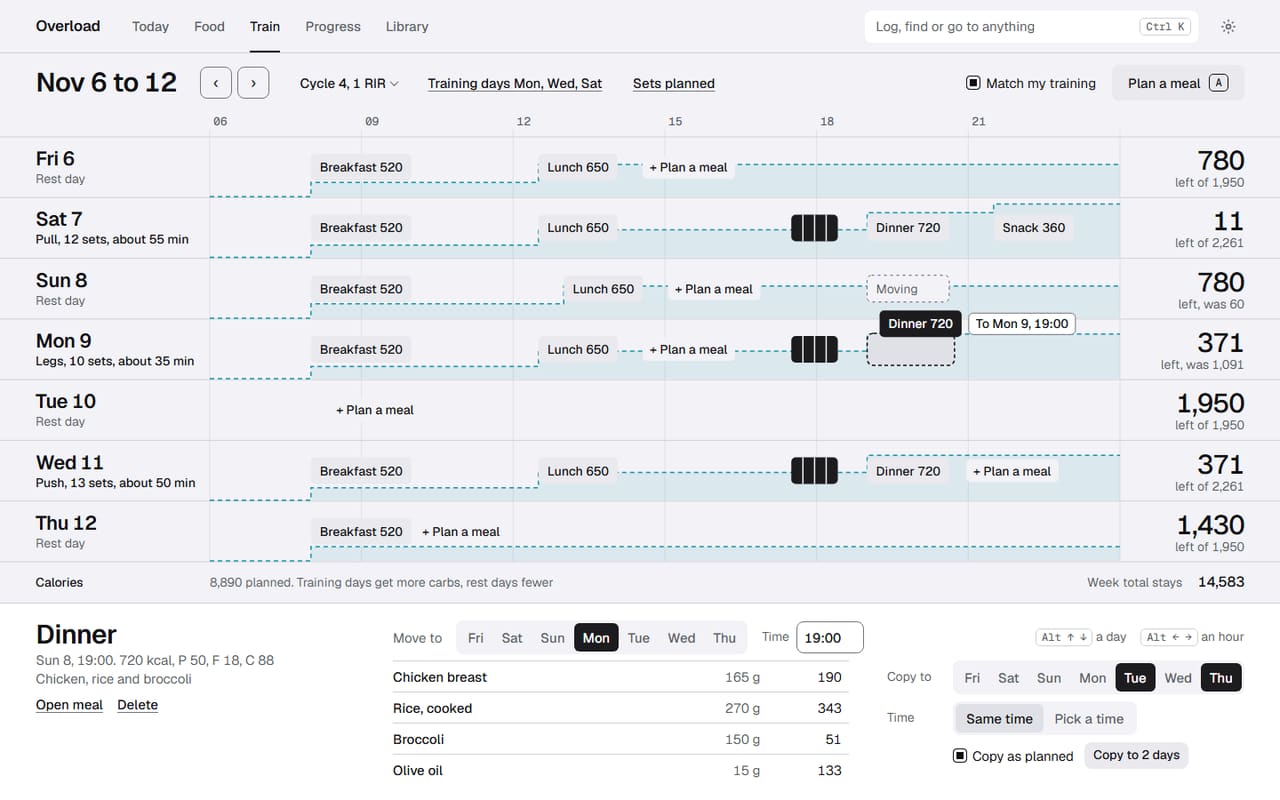
Week planLight · 1440 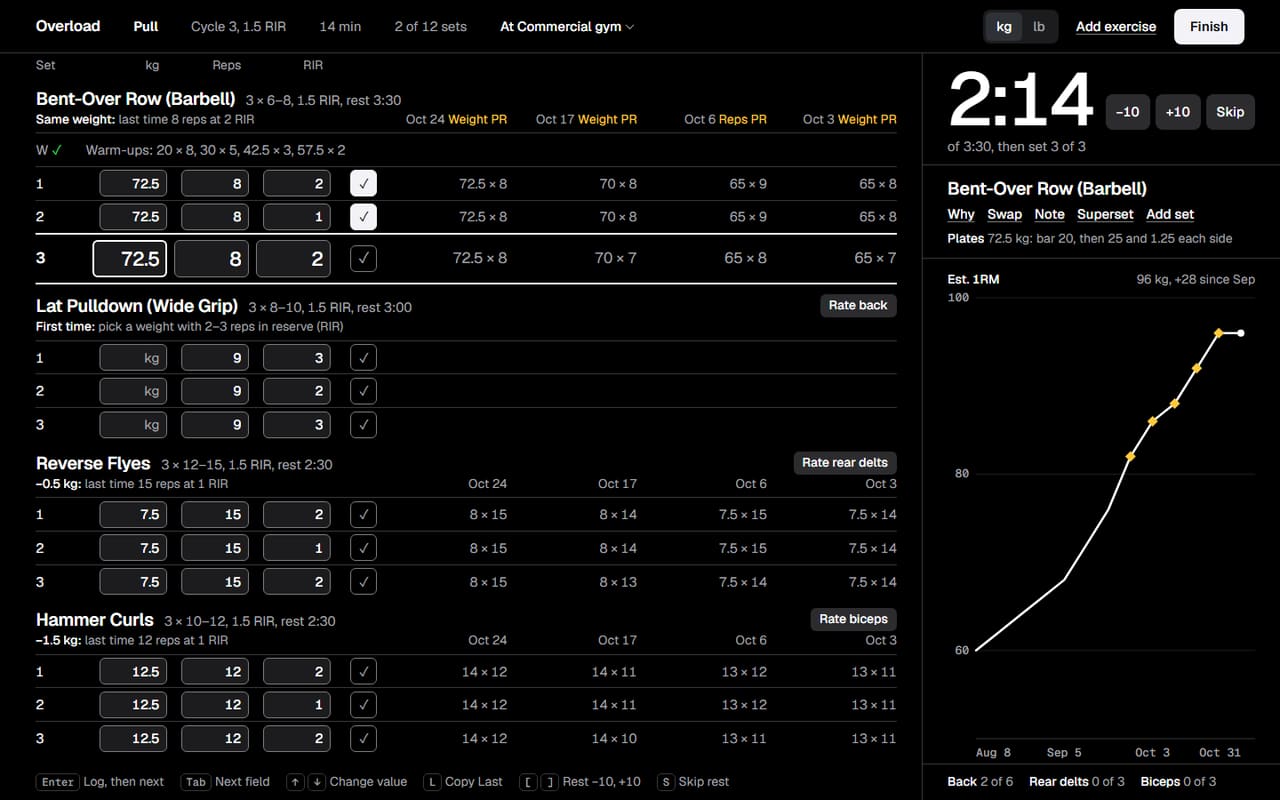
Workout, darkDark · 1440 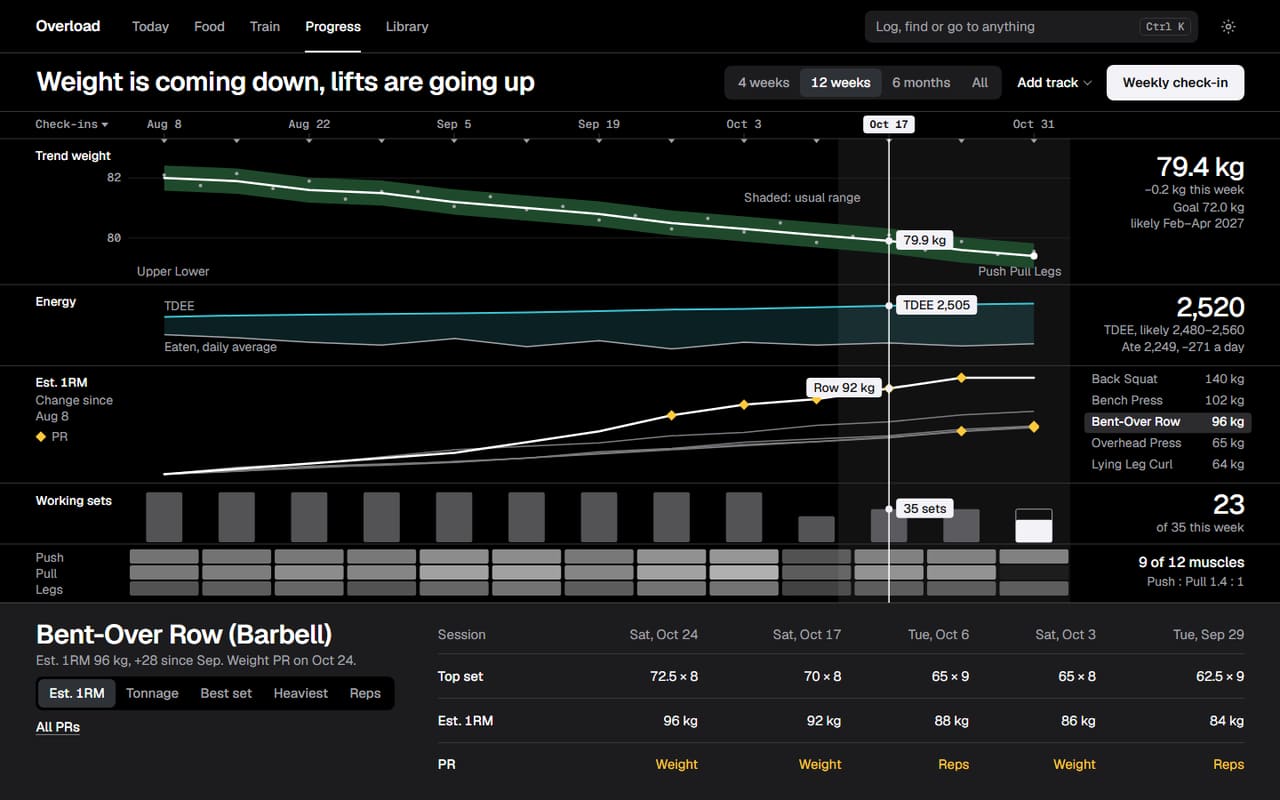
Progress, darkDark · 1440 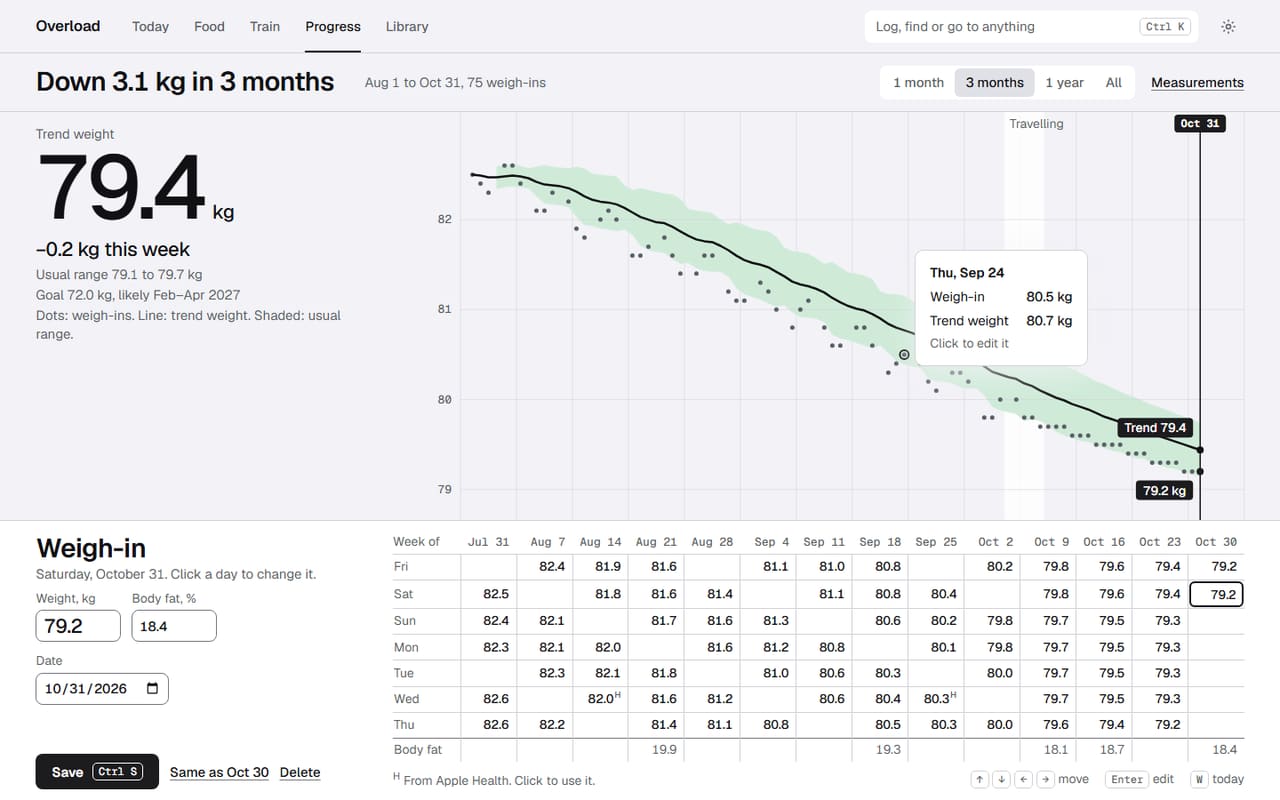
Weight trendLight · 1440
There is no native device build yet, so the iOS and Android app is shown through its design mockups. Everything on the flow board is the real app, running in a browser.
Open the live demo (opens in a new tab)